


Report SWDS 1 (this page)
Once we have found the old initial IEP record for a student that will begin participation, there are two ways to activate and report SWDS 1 to CALPADS.
- For the Recent Initials we can use the 'Update and Report with Status: Active, Eligible and Participating
- For the older Initials, we can simply make the record Active and archive a Plan adoption
Update and Report
Verify and update the student's District Enrollment Date as appropriate.
Verify and update other Key Information
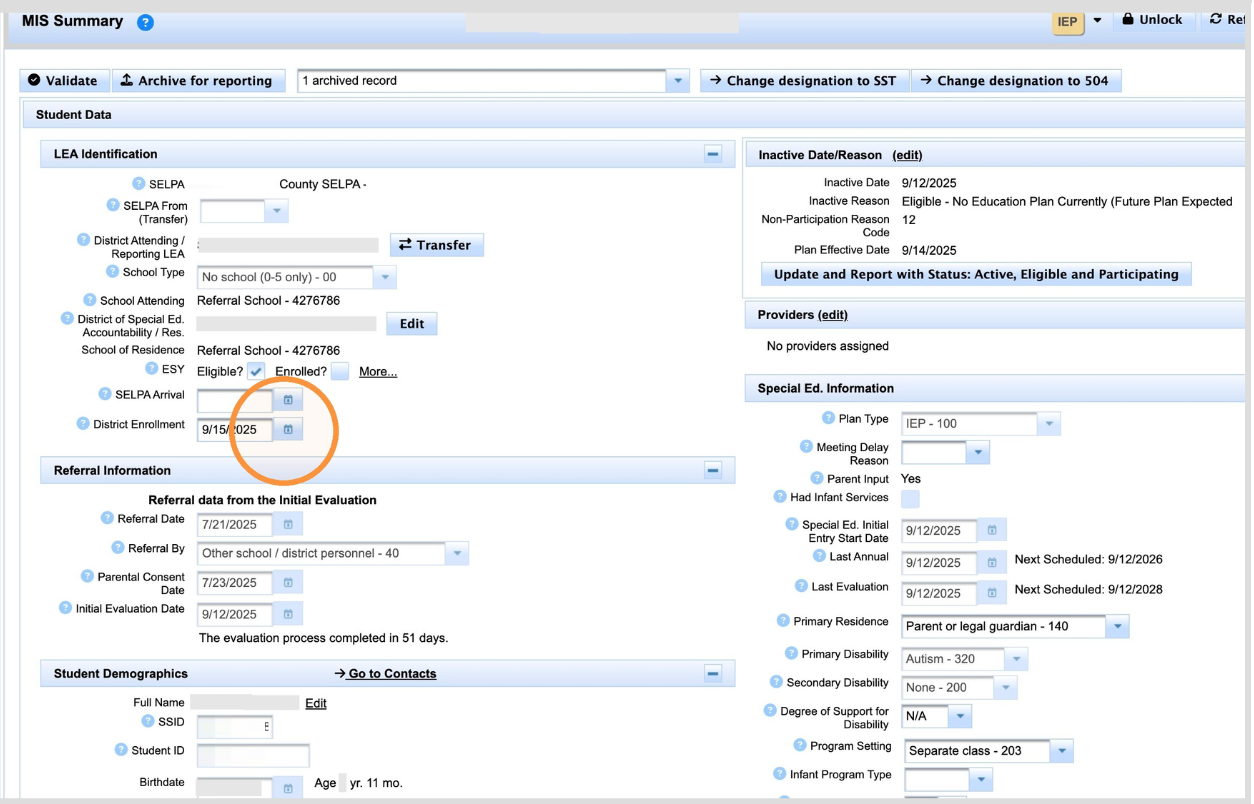
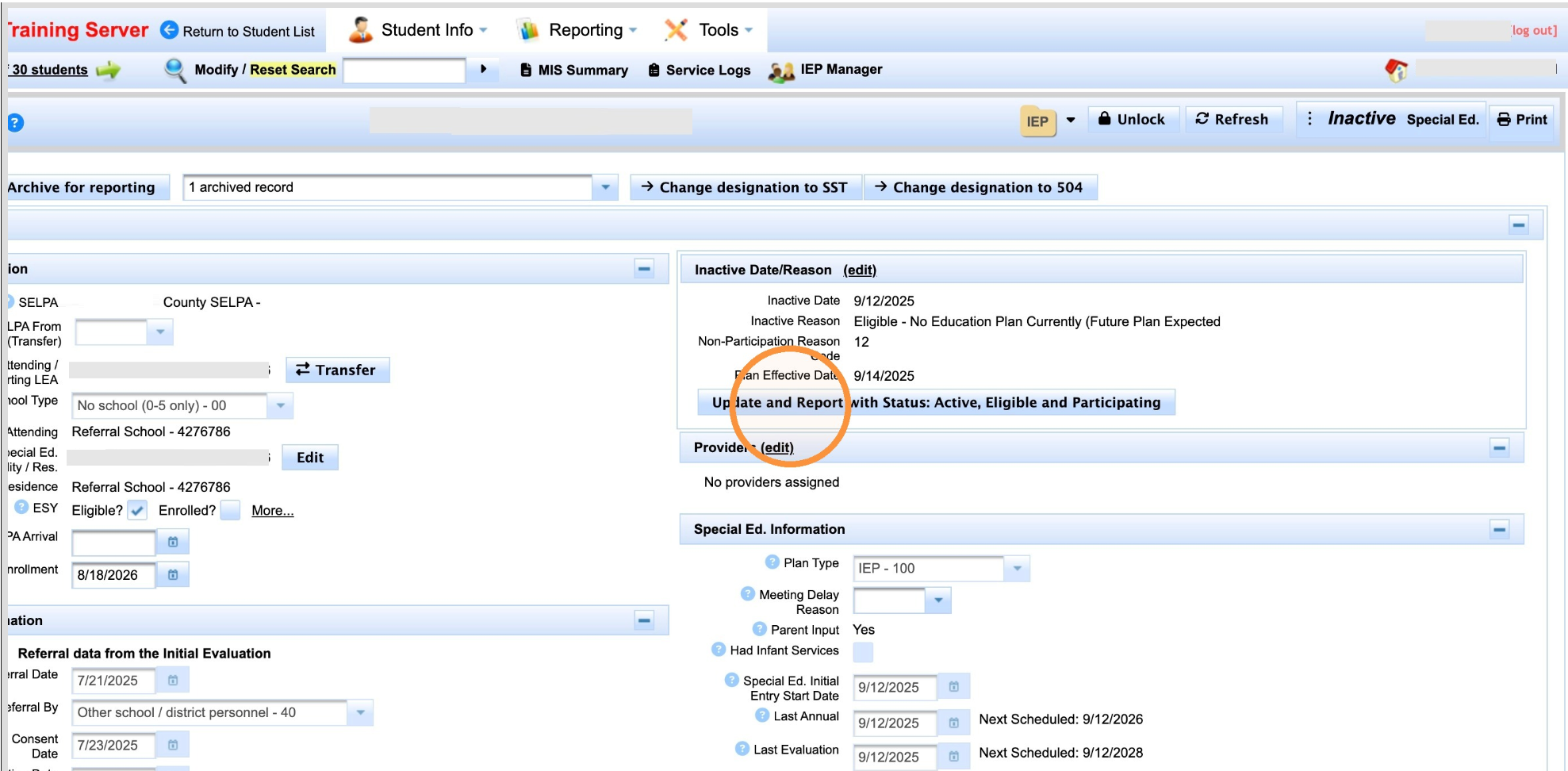
After the District Enrollment Date has been verified, locate the status action in the upper-right area of the record and click Update and Report with Status: Active, Eligible and Participating.
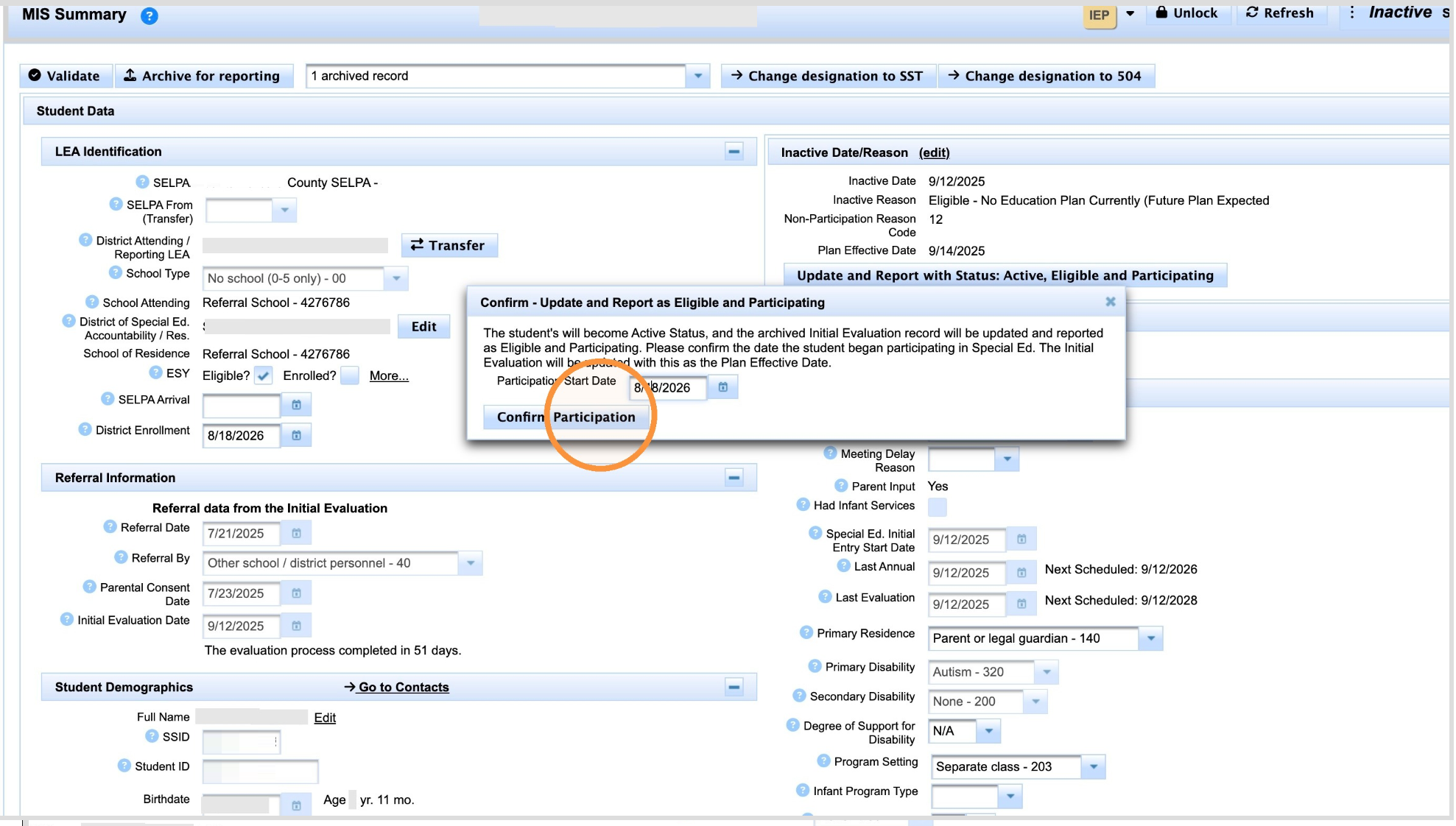
Verify the Participation Start Date. SIRAS may populate the District Enrollment Date; use the actual known date the student begins participating if it is different. The Participation Start Date must overlap valid SENR enrollment.
Click Confirm Participation.
Result:
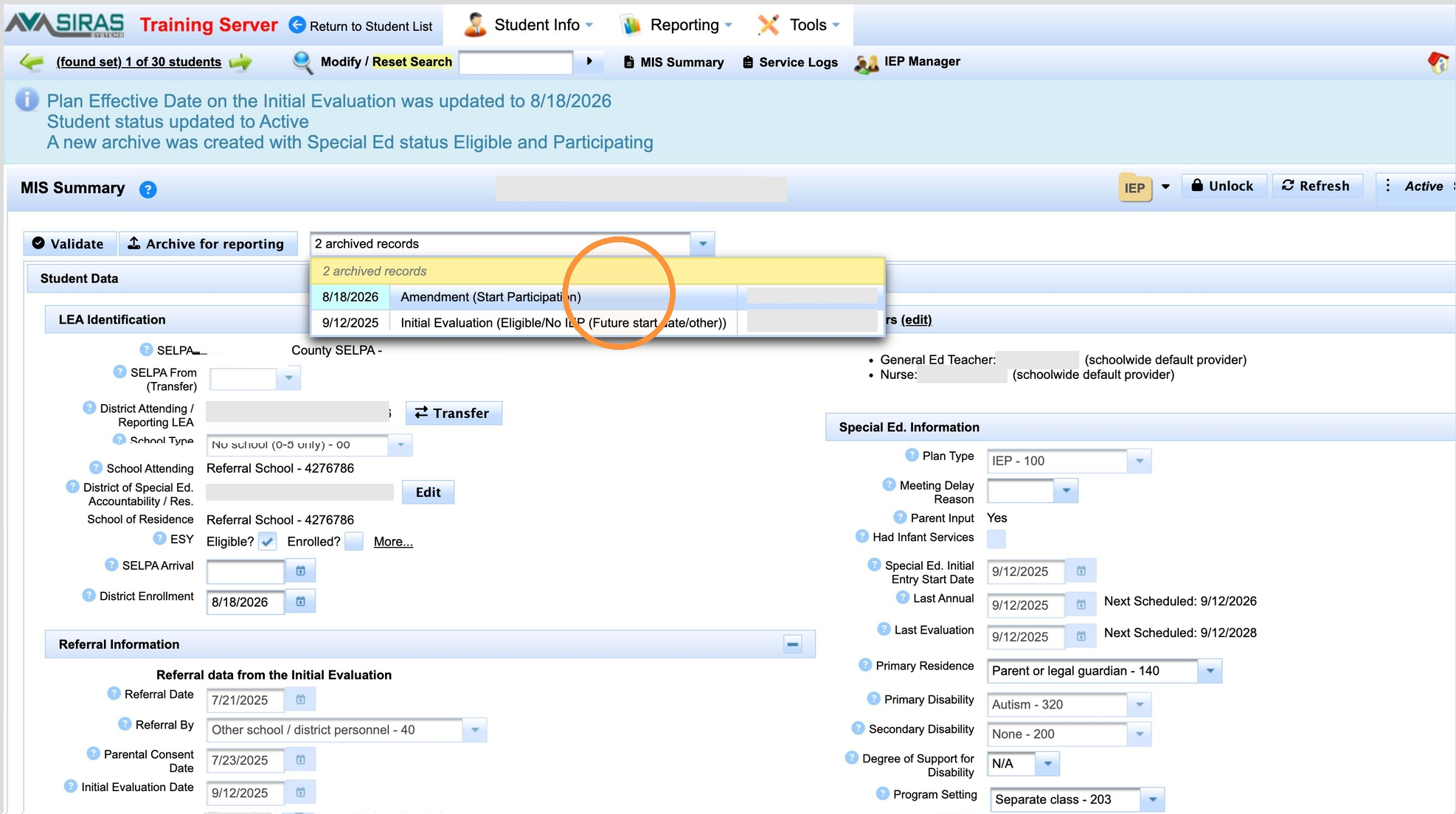
The student is updated to Active, Eligible and Participating, and SIRAS creates an Amendment (Start Participation) archived transaction containing the applicable SWDS, PLAN, and SERV reporting components.
The student is updated to Active, Eligible and Participating, and SIRAS creates an Amendment (Start Participation) archived transaction containing the applicable SWDS, PLAN, and SERV reporting components.
Review the New Reporting Transaction
The participation update is complete at this point. If you are learning the SIRAS reporting workflow, you can review the archived transaction before it is submitted.
Click the # archived records link.
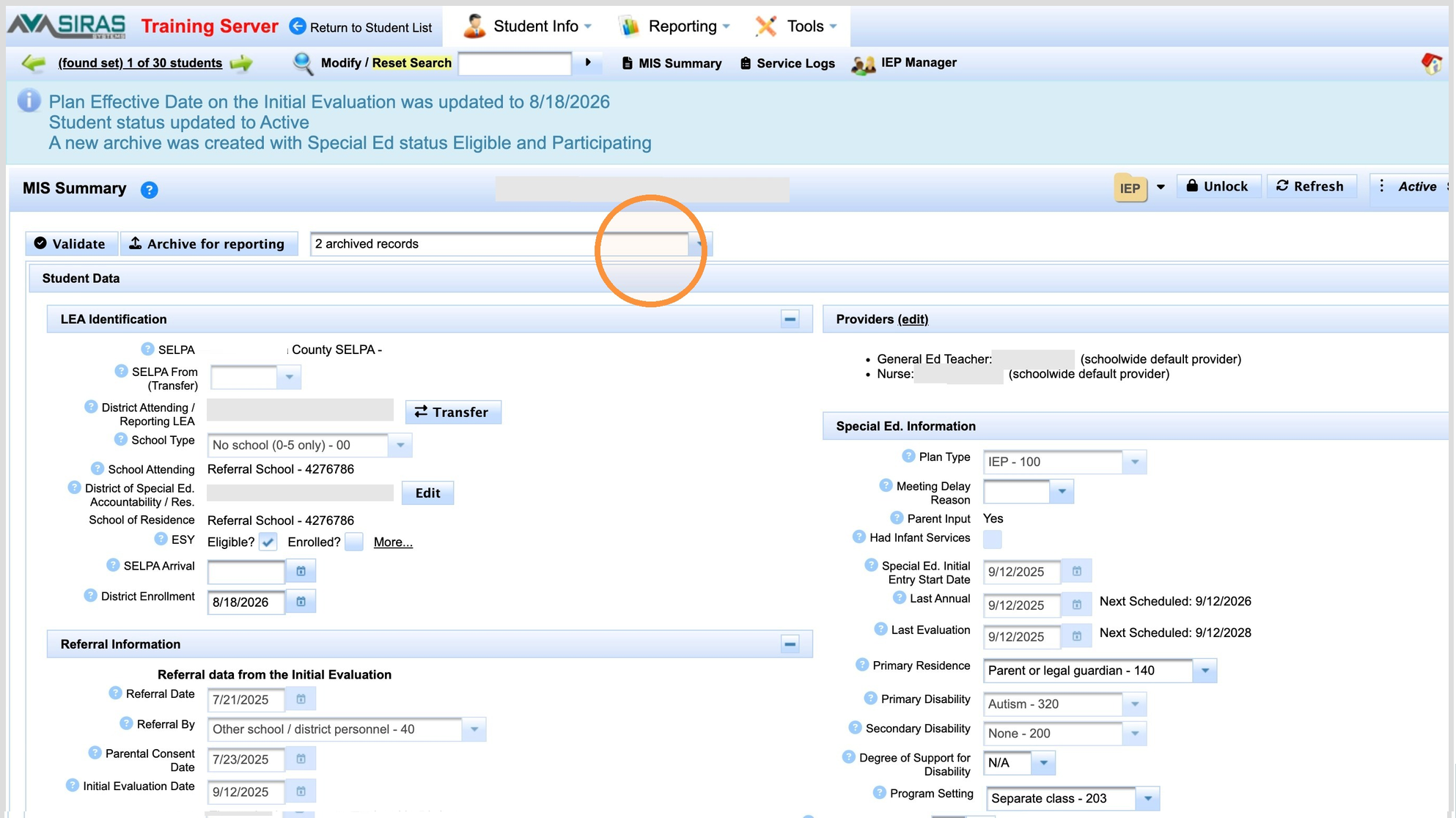
Select the pending (blue) Amendment (Start Participation) transaction that was just created.
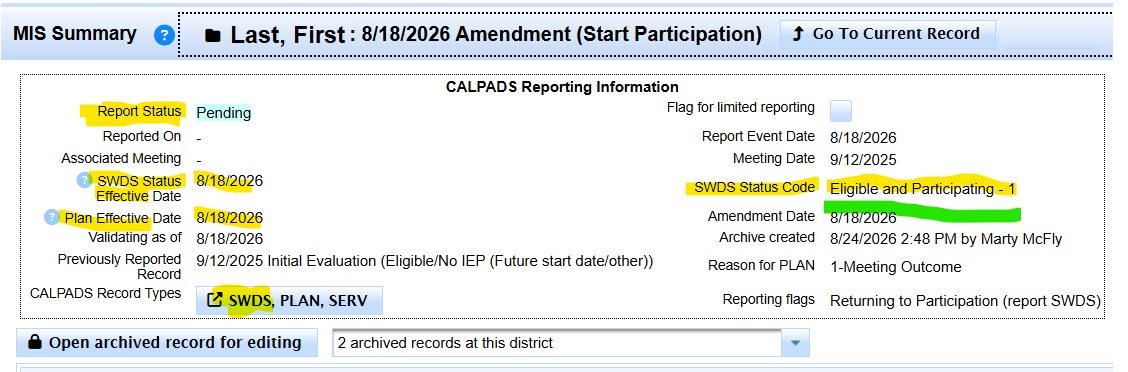
Review the CALPADS Reporting information. A Report Status = Pending means the transaction is prepared to be included the next time the applicable SEDS data is sent.
Manually Archive
What to do if the 'Update and Report with Status: Active, Eligible and Participating is not there?
If the IEP Is Older and the Update and Report Button Does Not Show
If the student will begin participating on the existing plan and the special Update and Report button is no longer available:
- By now we have update the school, providers, and contacts.
- Verify/update the District Enrollment Date.
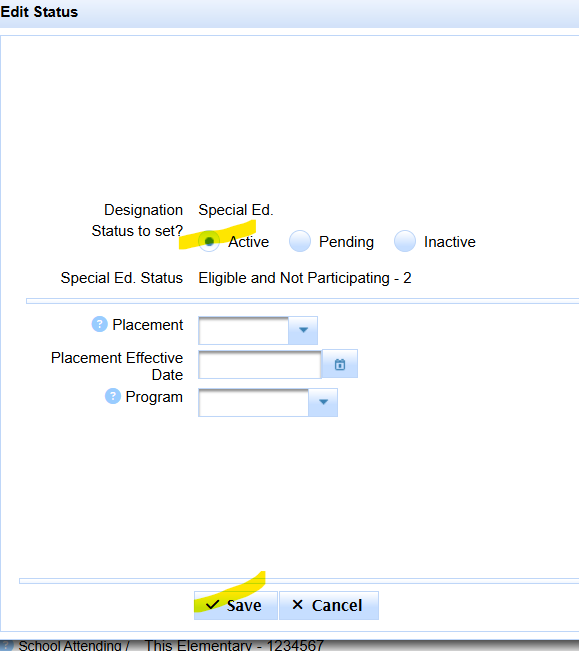
- Manualy make record Active
- Manually Archive Active record as of District Enrollment, assuming the District Enrollment Date is the actual participation start date.
- Review the resulting archive. SIRAS should prepare the applicable SWDS / PLAN / SERV reporting effective for the student's participation start.
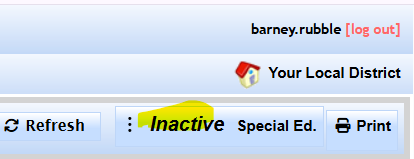
Click Inactive to select Active
Select Active
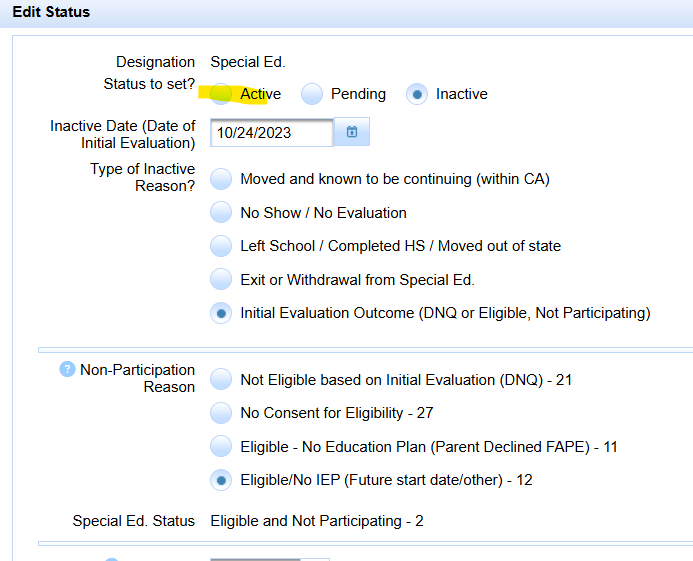
Click Save
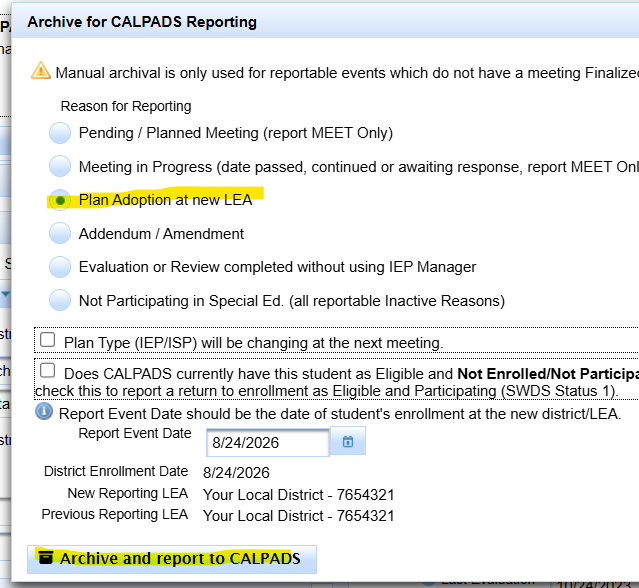
Click Archive for Reporting
Select 'Plan Adoption' Archive Type
Verify Report Event Date is when they start participating and overlapping enrollment in CALPADS.
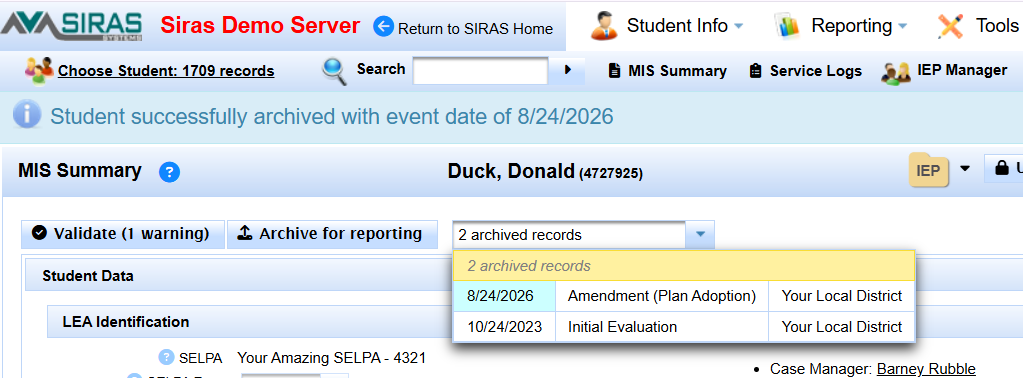
Student Successfully archived
Review Archived Transaction for SWDS
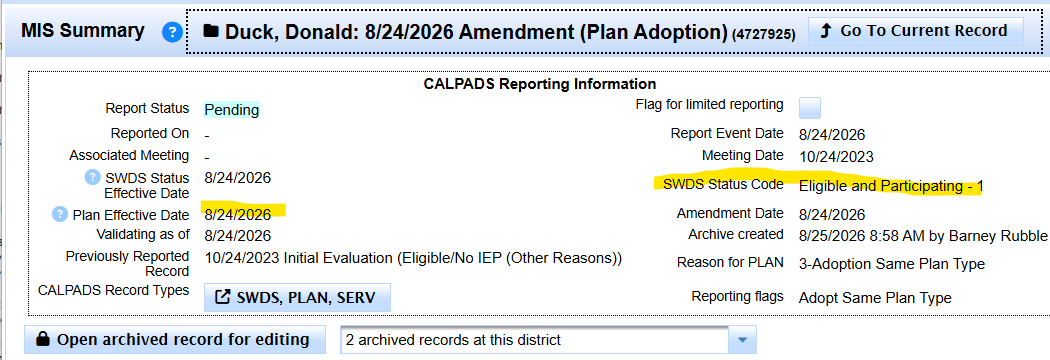
The earlier SWDS status remains part of the student's history. Beginning participation is a later status event. If the correct participation date or reporting history is unclear, use Investigate a Questionable Record before changing data.

