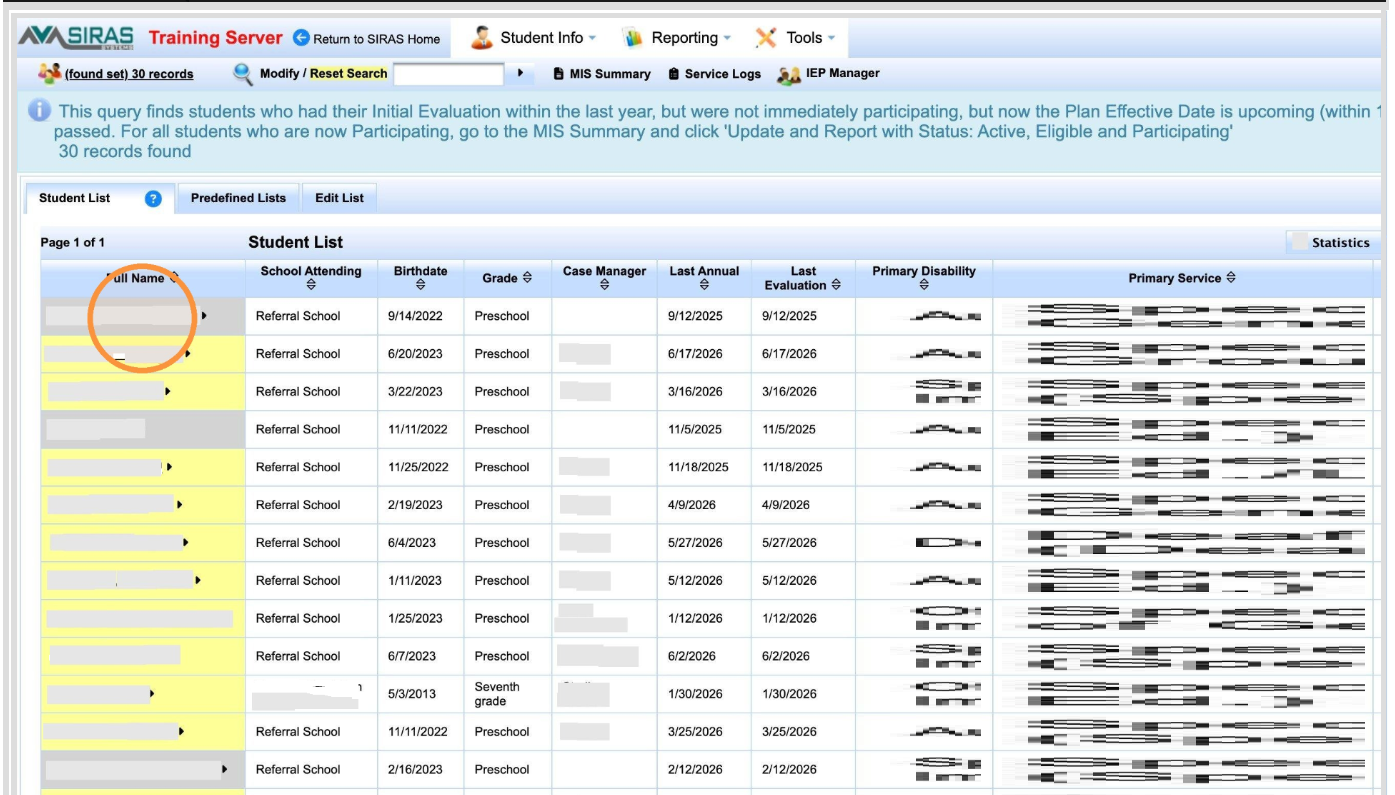
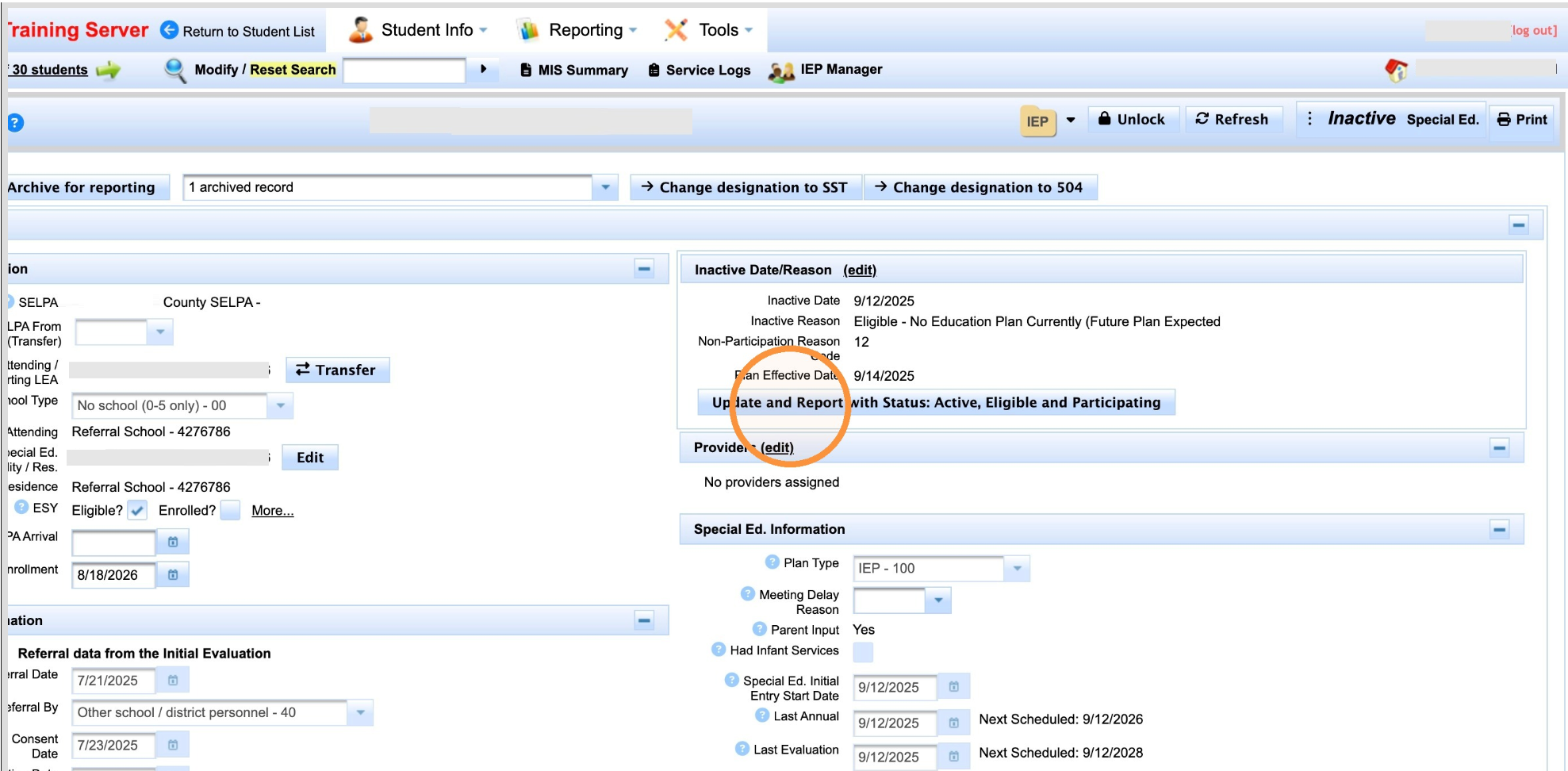
This is the 'short' list as it only find meetings within the last year where the plan effective date is now, the beginning of the year.
If we want to look for older meetings use this link.
Search → Data Monitoring → Recent Initials: Eligible, Not Participating
Confirm the student is actually enrolled and beginning special education participation. The Participation Start Date must reflect the known date participation begins and must overlap valid SENR enrollment. Do not activate a student only because the query returned the record.
What This Query Finds
The query is intended for SEDS staff to review recently eligible students who may now need participation follow-up. It looks for recent Initial Evaluations from roughly the last year where the student was found eligible but had not yet begun participation, including records with a plan effective date approaching within the next month from the day the query is run.
Use it quarterly or more often as needed. Fall is especially important because students evaluated near the end of the prior school year may begin participation when the new school year starts.
Find Recent Initials Eligible, Not Participating
Log in to SIRAS.
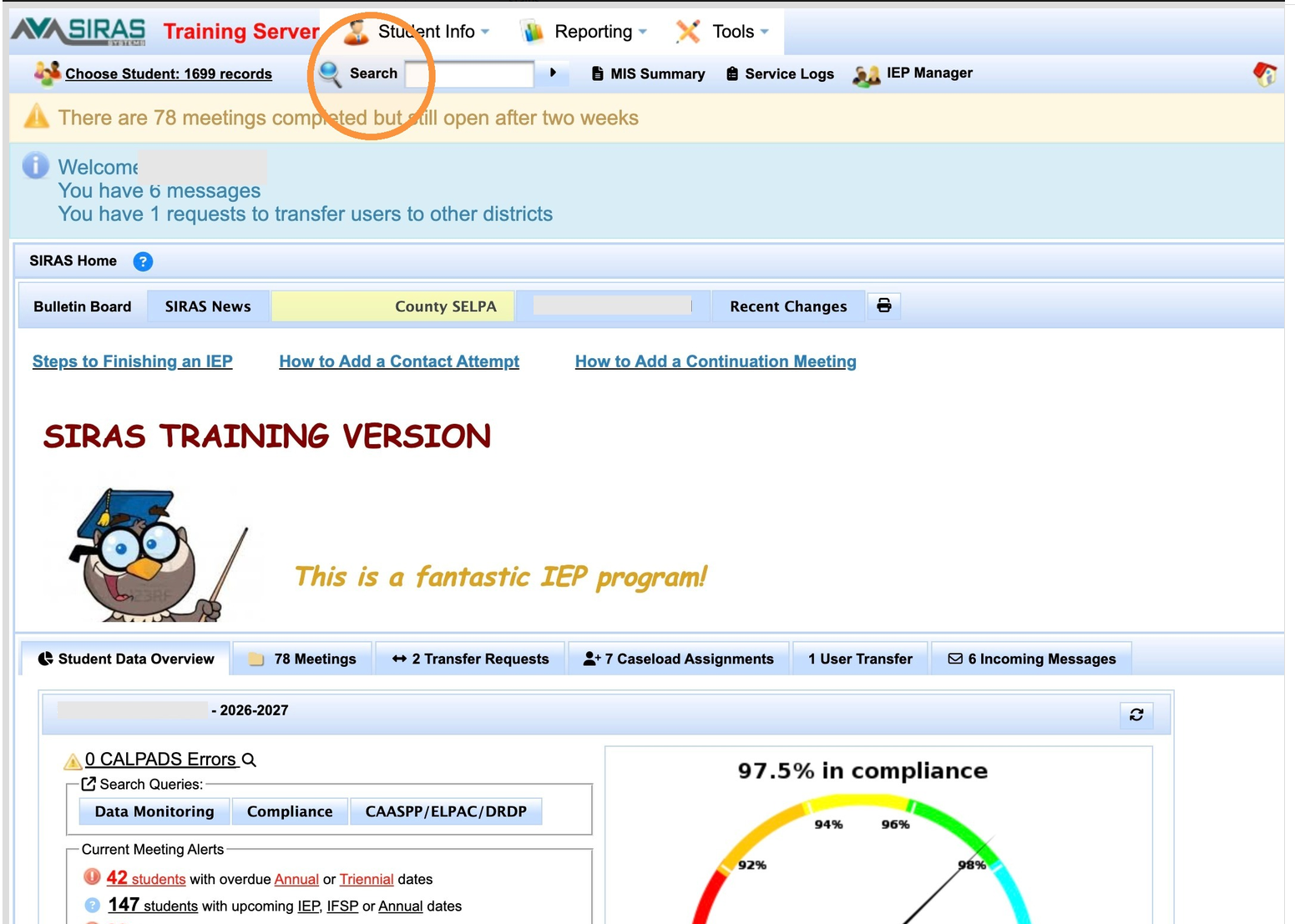
Click Search
Click Data Monitoring.
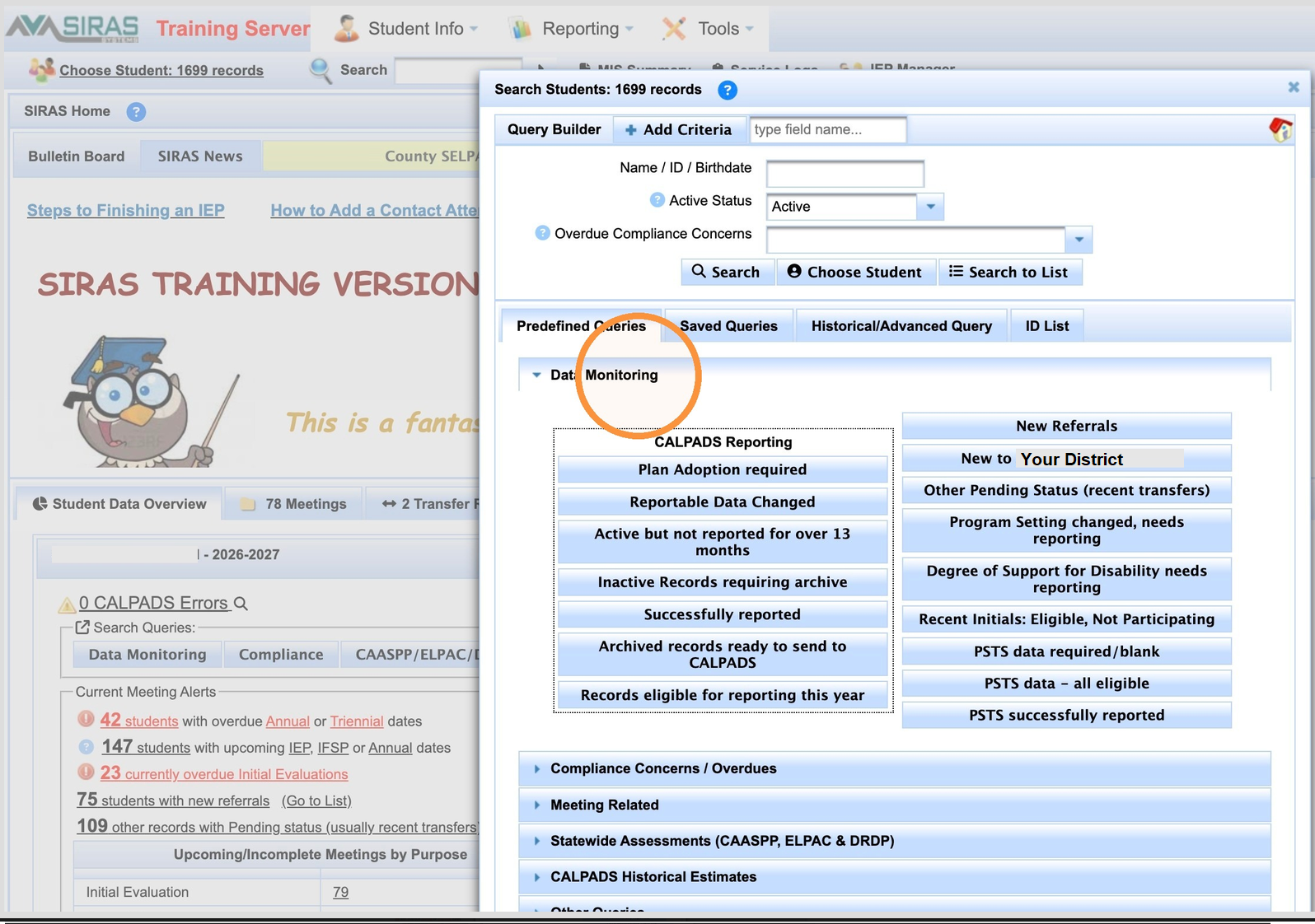
Click Recent Initials: Eligible, Not Participating.
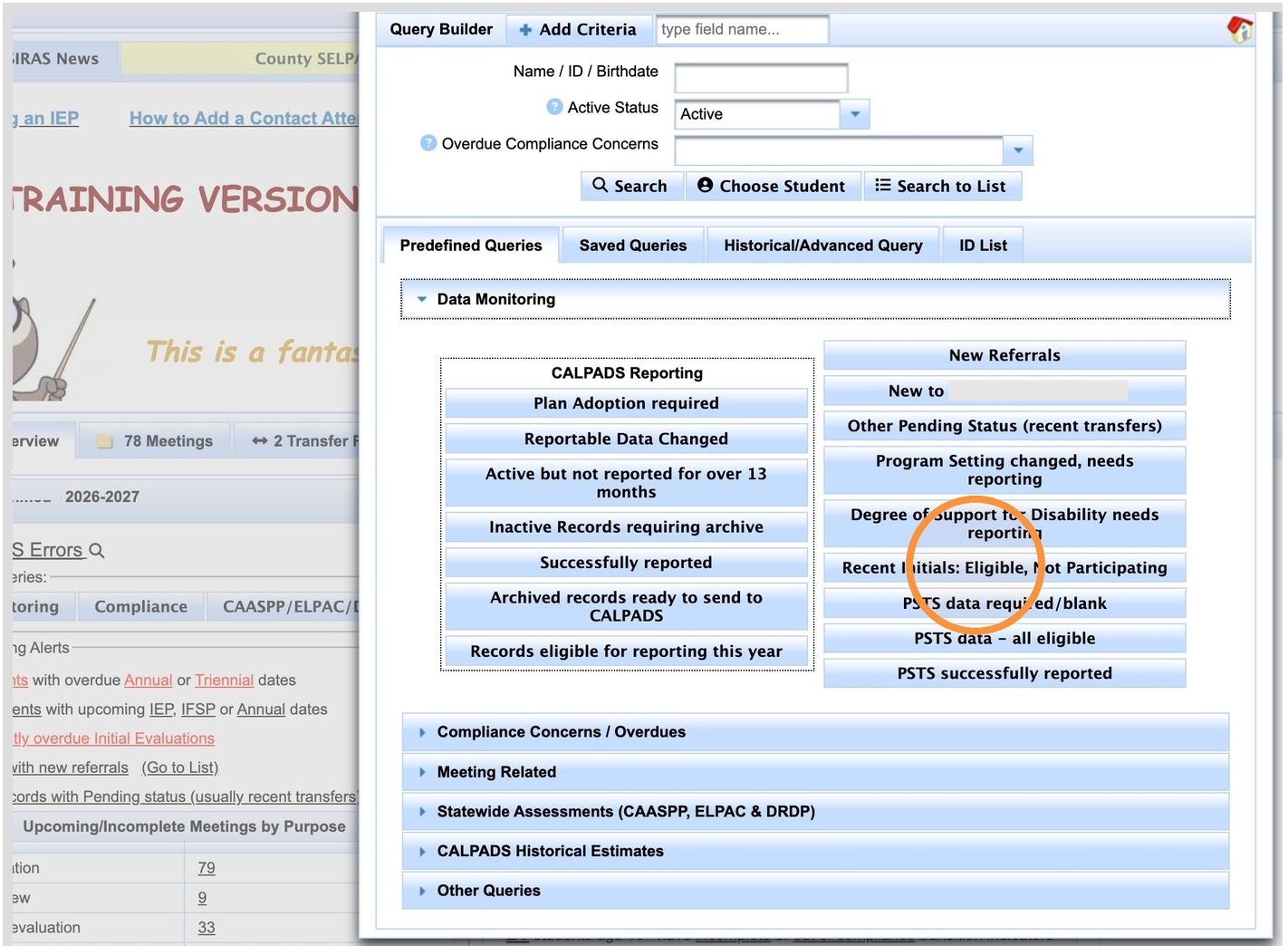
Review the results. Look through the Found Set for students who have actually returned and are now expected to begin participation. SIRAS will indicate whether matching records were found.
The query is a candidate-finding tool and does not replace investigation of an older or unusual record. If a student should be present but is not, contact SIRAS Support.
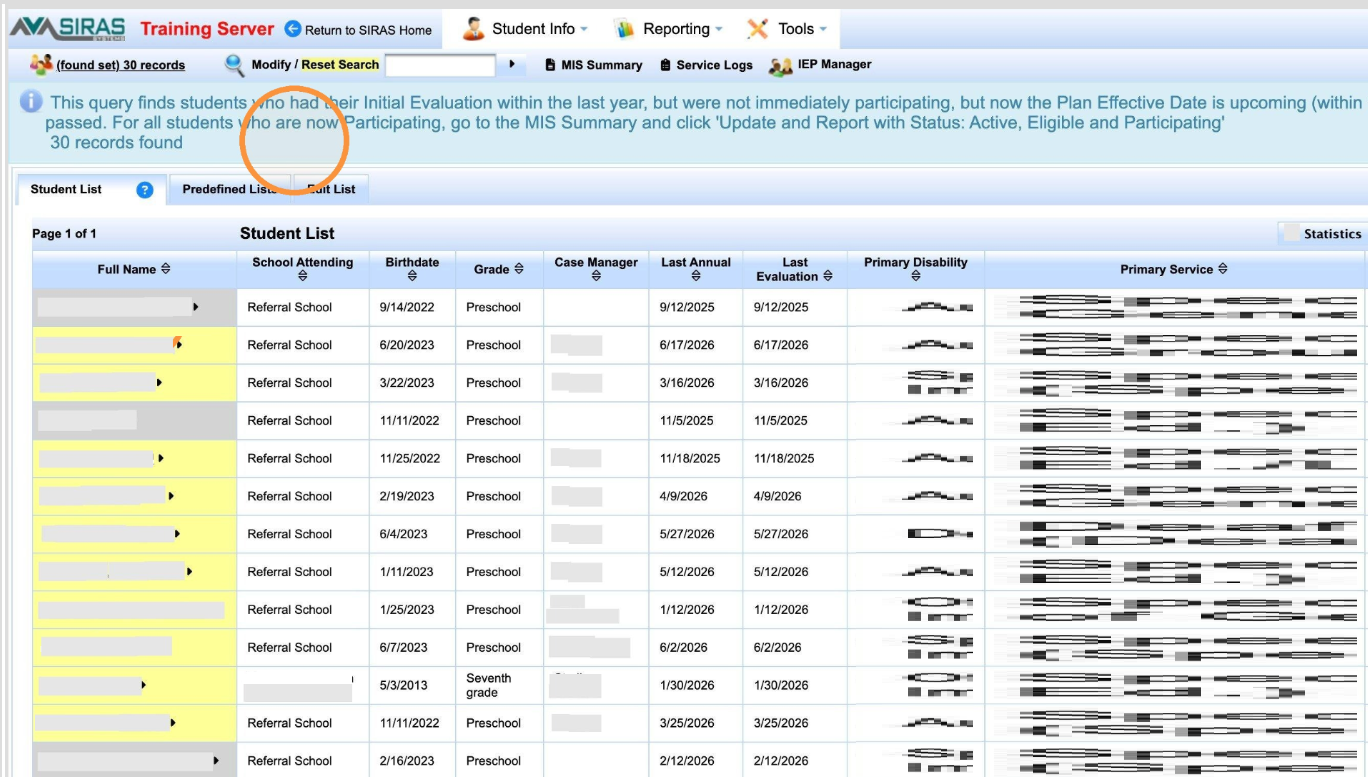
Click the student's name in the results list.