


Use this administrator/SEDS monitoring workflow to look beyond the standard Recent Initials query and review students who were found eligible within roughly the last three years but remained eligible and not participating.
Once the IEP team confirms that a student is now enrolled and beginning participation, use Show Me: Recent Initials: Update to Eligible and Participating for the actual status/reporting action.
Monitoring path: Reporting → Student Lists → Predefined List → Data Monitoring → Inactive records requiring archive → Modify → Predefined Queries → Data Monitoring → Recent Initials: Eligible Not Participating
Why Review Older Recent Initials?
The standard Recent Initials query is designed to surface more recent candidates. A separate three-year review can help identify older eligible/not-participating students whose families may now be returning, reenrolling, or reconsidering participation.
The query result is only a follow-up list. Do not activate or report a student simply because the record appears in the search.
Build a Useful Review List
- Open Reporting → Student Lists.
- Choose Predefined List.
- Under Data Monitoring, select Inactive records requiring archive. It is okay if this first list returns zero students; the list layout is being used as the starting point.
- Select Modify.
- Then Modify the list as in the screenshots below
- Search to the inactive list
- Review candidates with IEP team
Build a list to review relevant Inactive information
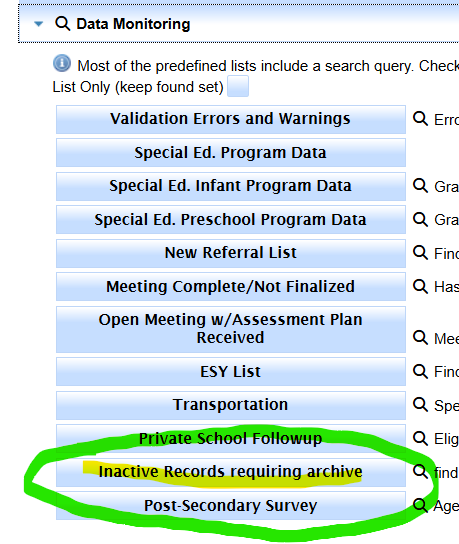
After going to the list, Click Search or Modify
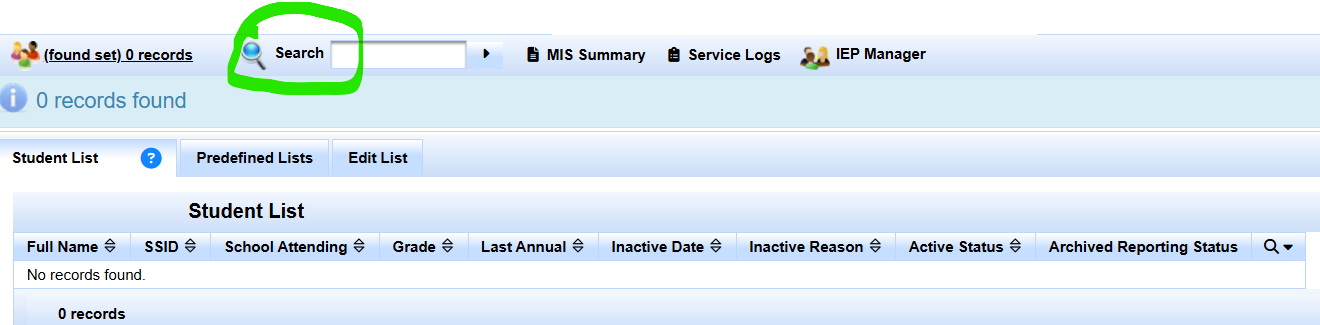
Modify
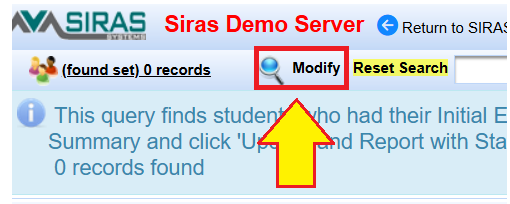
Then click on Predefined queries
Then click the Data monitoring Tab
Click on the Recent Initials - Eligible and not participating
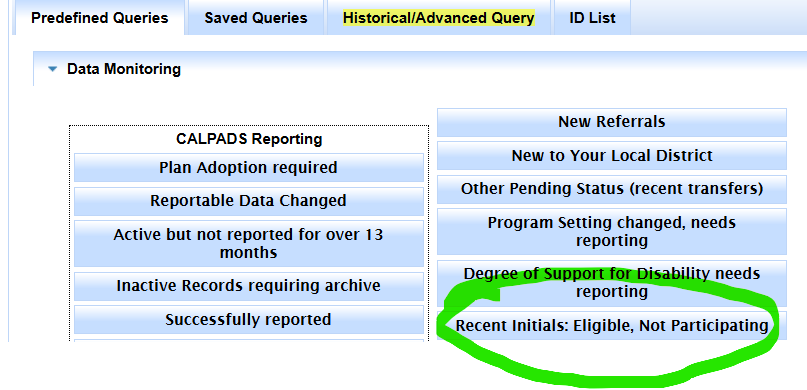
Then we are going to modify this query
First remove the Plan Effective date Criteria
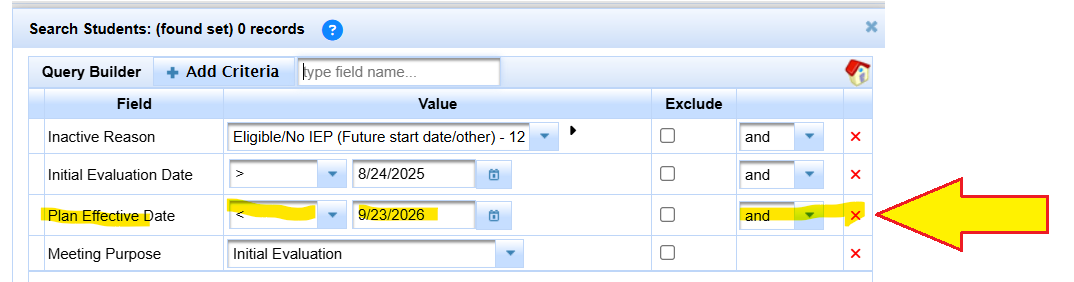
Then we replace the meeting date with a date that is three years old, two years prior to the default date.
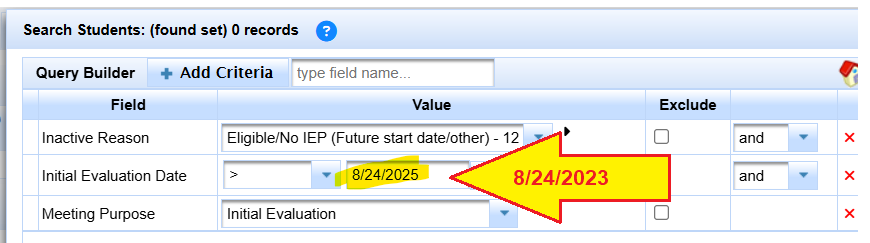
Once the older meeting date is in there, click Search to List
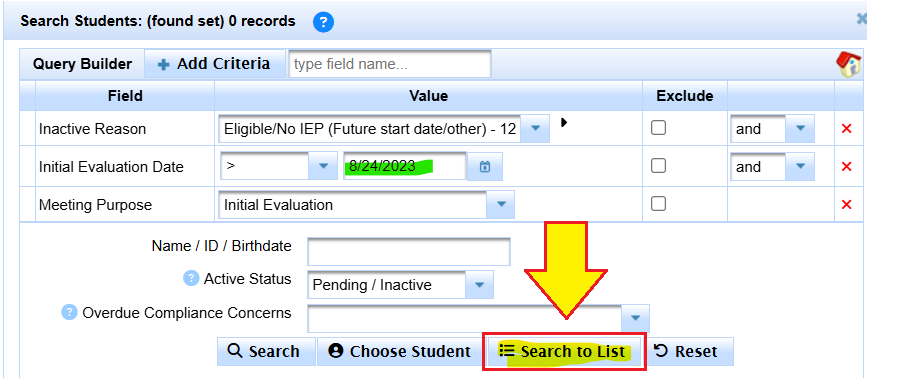
Search to List, and this list already has inactive fields in it for review
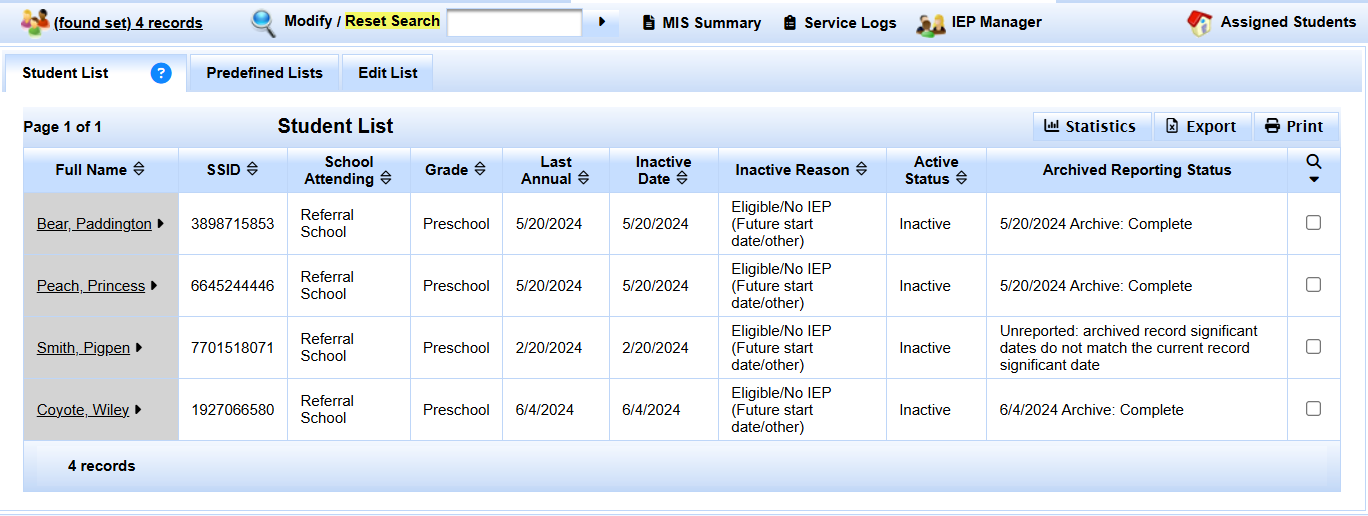
Sort and Review the Results
Sort the list by Inactive Date so the most recent records can be reviewed first.
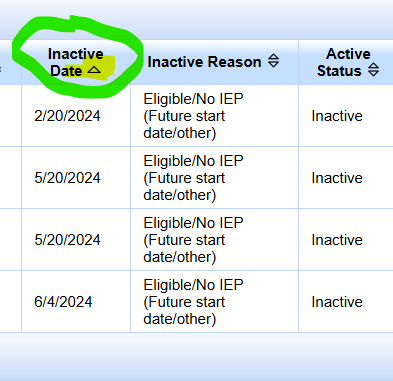
Result: your Found Set/list contains older Recent Initial candidates for district and IEP-team follow-up. The search and sort are view-only; no student data changes until staff intentionally update a record.
Follow Up with the IEP Team
For each candidate, determine what is actually happening in the field. Confirm:
- whether the student is currently enrolled;
- whether the family intends to begin special education participation now;
- the actual participation start date, if participation is beginning; and
- whether SIRAS and CALPADS history still accurately represent the prior eligible/not-participating period.
If the student is not beginning participation, document/follow local monitoring practice and leave the valid historical status intact.
If the Student Will Begin Participating
Do not repeat the activation/reporting procedure here. Go directly to:
Show Me: Recent Initials: Update to Eligible and Participating
That procedure covers verifying enrollment, updating the participation status, and creating/reviewing the applicable reporting transaction. If the older record no longer shows the special Update and Report button, Article 216 also covers the older-record path.

