Getting help
Primary contact for SELPA to get help with DRDP: "Justin Pickard" <[email protected]>
Logging in
Website for SELPA to upload DRDP ratings data file for DRDP Certification: https://draccessdata.org/
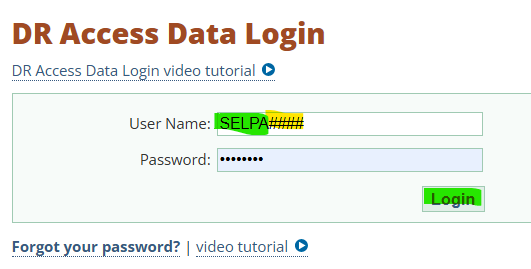
Login for SELPA to certify: SELPA####
(####) is your 4 digit SELPA Code
Login for SIRAS to upload data on SELPA behalf: SIRAS####
(####) is your 4 digit SELPA Code
This type of account can be requested to Justin Picard to make for SIRAS.
DRDP Procedures for reporting and certification
SIRAS SELPA have two options to report DRDP data:L
SIRAS assist
Have SIRAS upload DRDP ratings data entered into SIRAS on a periodic basis each reporting period
SIRAS can then download any DRDP errors and post them to SIRAS MIS Summary page
Staff refer to posted
SELPA DIY
- SIRAS SELPA account uses SIRAS DRDP export.
- SELPA saves file on local computer
- SELPA uploads drdp ratings file to DRAccess.org
- If DRDP file is error free, you can certify.
- If DRDP file has errors, download error file
- Find records in SIRAS and Fix
- Repeat process
Extract Data from SIRAS
Login to SIRAS at SELPA level
Export DRDP data from SIRAS
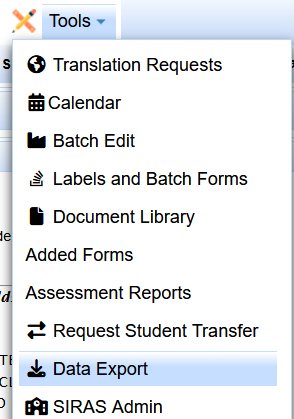
/tools/data export/predefined exports
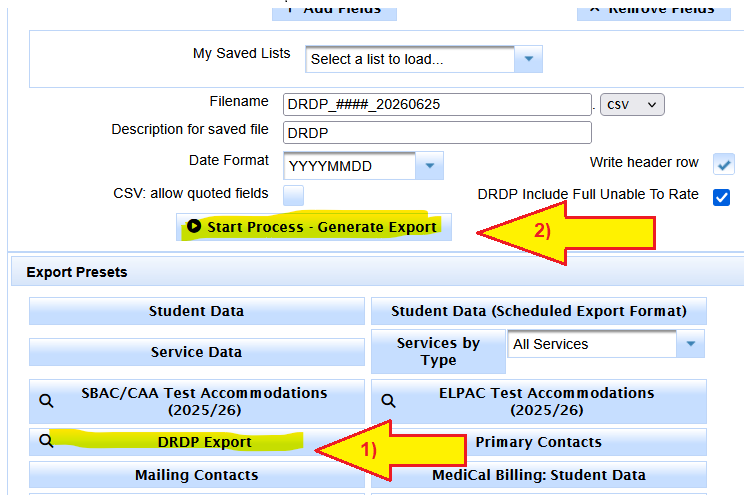
Click on the DRDP Export preset button
Click on the Start Process - Generate Export
Scroll down to
Login at SELPA level
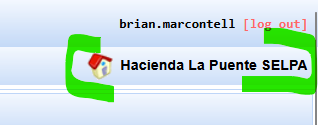
/Tools/Data Export
Look for Export Presets
Click on DRDP Export
Click on Start Process - Generate Export
Find the completed file under Saved Exports
Click Download

Save the file on your local computer.
Do not open the file!
If errors are found, they can be fixed in SIRAS by query on SSID
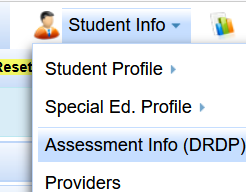
Then go to /student info/ Asessment info (DRDP)
Logging in as SELPA at DRAccess.org to upload and Certify
#### is your SELPA 4 digit Code
Now go to DRAccessdata.org
Login with your SELPA#### account
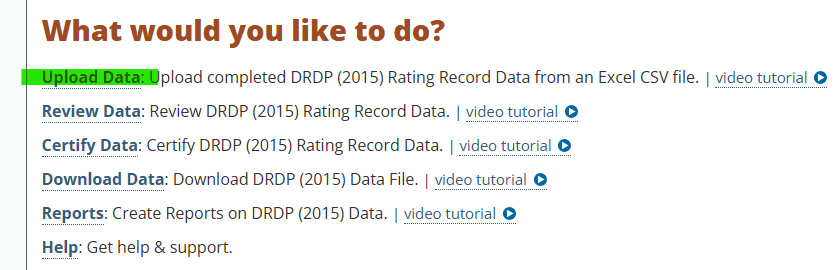
To Upload Data
Click on Upload Data
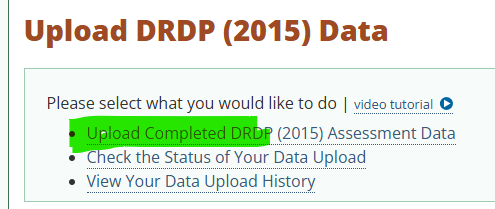
Click on Upload Completed DRDP data
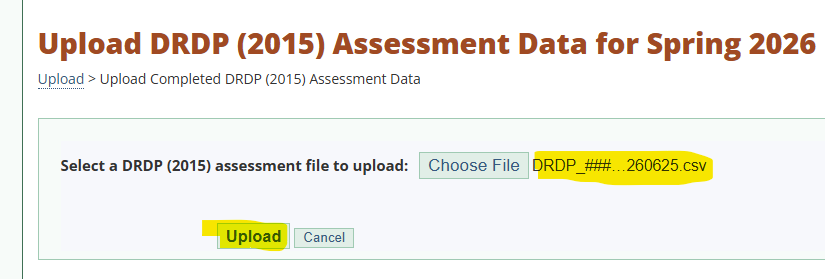
Click Choose File
Navigate to the file downloaded from SIRAS

Select the file, then click Open
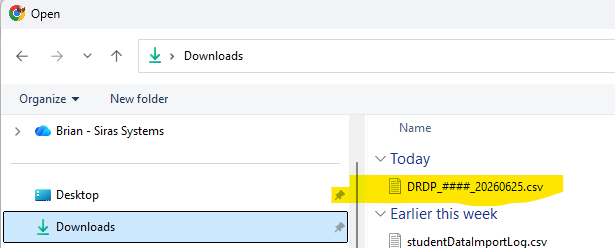

Then click the Upload button
If there are errors, download the XLSX file
Identify errors
Fix errors in SIRAS
go to /student info/DRDP
Export New File and repeat above steps
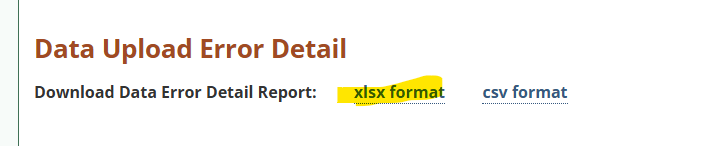
Once there are no errors in the data file being uploaded
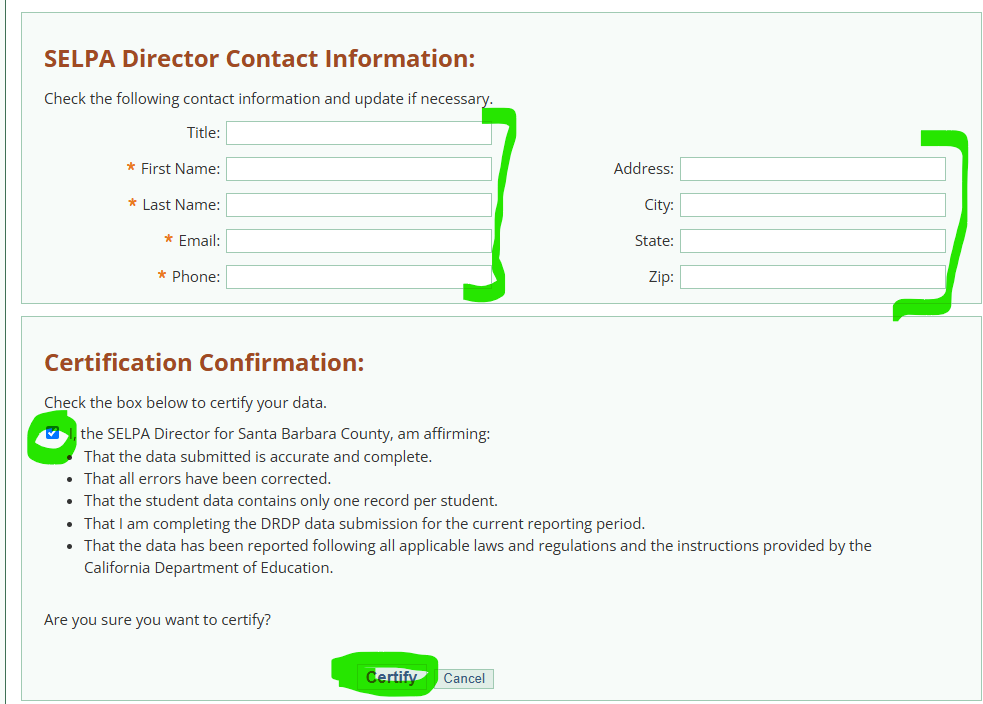
We can Certify the data
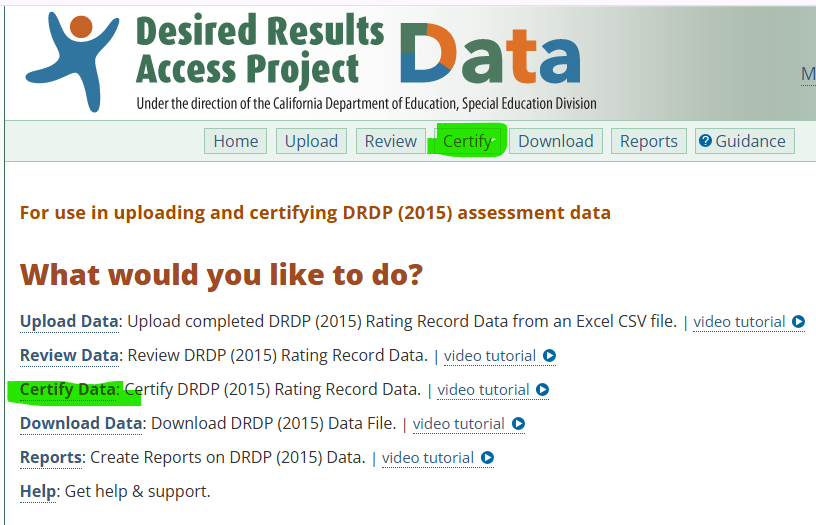
Verify IEP and IFSP counts are accurate
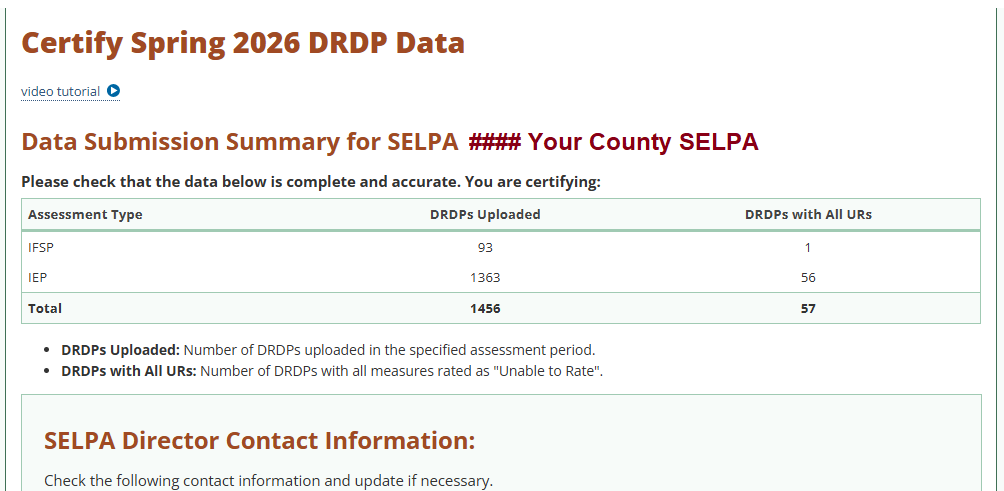
Verify your SELPA contact information is correct
Then click the Certify button.
Congratulations, you are done!!!