
How to share a query

Mar 24, 2026
Queries can only be shared once they have been saved.
Save the query first.
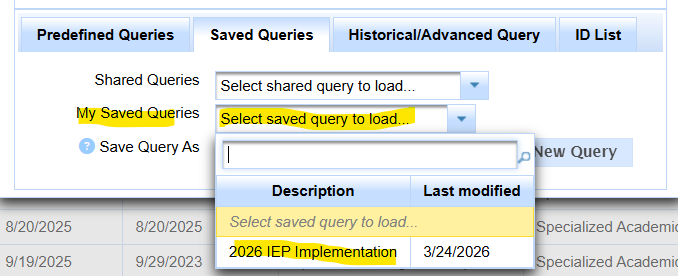
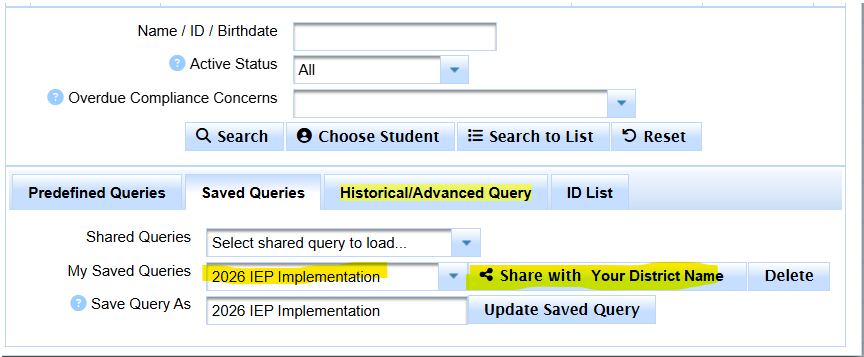
- Select the query from the My Saved Queries menu
- Click on the Share button


Queries can only be shared once they have been saved.
Save the query first.

