


Each LEA should decide which staff are responsible for determining Degree of Support. The decision should be informed by the student's IEP and by appropriate special education staff, including IEP team members and the special education data coordinator as applicable. Degree of Support is a reporting/data element; it is not itself an IEP form field.
See the CALPADS Fall 1 Reporting Roadmap — Student Degree of Support Identification Guidance. Local staff should not select a value merely to clear a validation or search result.
What Do You Need to Do?
Understand the Requirement
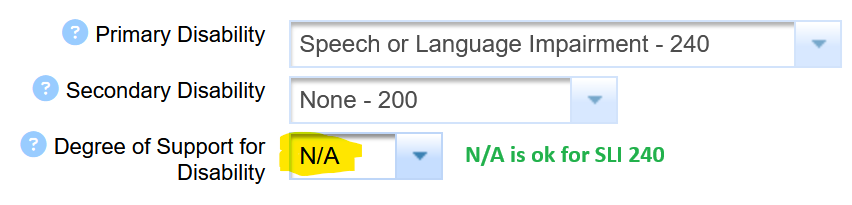
It is ok if the Degree of Support field is blank or NA in these cases like SLI.
| Code | Meaning |
|---|---|
| ESN | Extensive Support Needs |
| MMSN | Mild/Moderate Support Needs |
Requirements: Degree of Support is required for students with IEPs in grades TK–12 who have one of the following primary or secondary disabilities:
|
Disability |
Code |
|---|---|
| Autism (AUT) | 320 |
| Deaf-blindness (DB) | 300 |
| Emotional Disability (ED) | 260 |
| Intellectual Disability (ID) | 210 |
| Multiple Disabilities (MD) | 310 |
| Orthopedic Impairment (OI) | 270 |
| Other Health Impairment (OHI) | 280 |
| Specific Learning Disability (SLD) | 290 |
| Traumatic Brain Injury (TBI) | 330 |
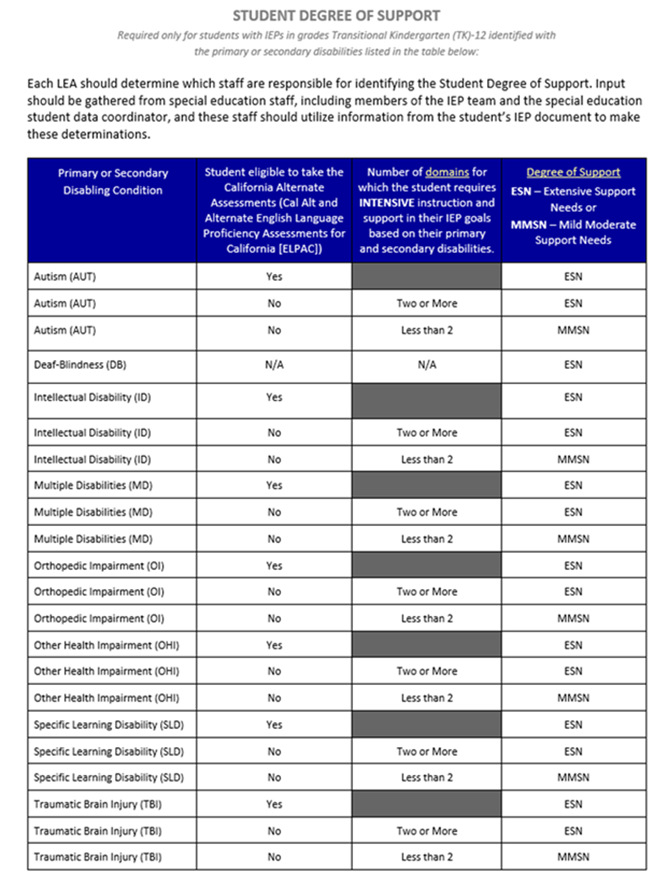
Degree of Support reference flowchart.
Use current CDE/CALPADS guidance when making the determination.

Reference table for Student Degree of Support.
Confirm requirements against current CDE/CALPADS guidance.
SIRAS Data Entry To Update Degree of Support for One Student
- Open the student's MIS Summary.
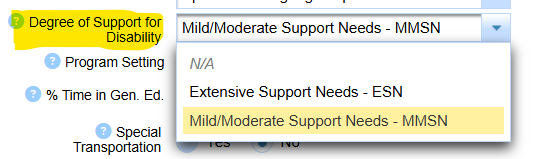
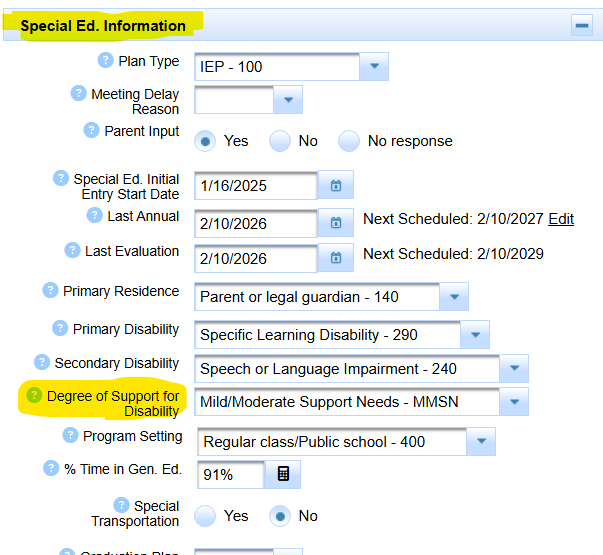
- Locate Degree of Support for Disability.
- Enter the value determined through the LEA's approved process.
- Save the record.
- If the change is reportable, continue to Report Degree of Support to CALPADS.
Enter the student's Degree of Support on the MIS Summary by clicking into the menu to select.
Once the value is chosen and your mouse clicks out of the menu elsewhere on the page, it is automatically saved.
Once current data has been updated:
- Is there an open meeting that will most likely be agreed to? If so, when that meeting is closed, the degree of support entered into current data will be captured and reported to CALPADS.
- If there is not an open meeting, the MIS Summary page can be archvied with a plan effective or report event date equal to the day staff made the determination.
Find Students Missing Required Degree of Support
Use this query to identify records that require review. A result means the record needs attention; it does not by itself determine which Degree of Support value should be entered.

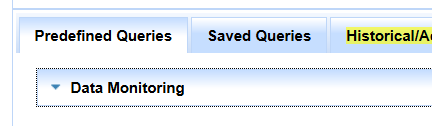
Choose the predefined query for records with required or missing Degree of Support.
Review the returned students individually before entering a value.
For a recurring monitoring schedule, see LEA Data Monitoring Tasks.
Find Degree of Support Changes That Still Need Reporting
This query is for records where Degree of Support has been entered or changed in Current data but an applicable archived transaction has not yet been created for reporting.
If a meeting is already in progress, review whether the meeting's effective date and outcome will create the appropriate PLAN transaction. If it will, avoid creating an unnecessary duplicate archive.

Use the Data Monitoring query to find Degree of Support changes that still need reporting.
Review each returned record to determine the correct reporting transaction and effective date.
Report Degree of Support to CALPADS
Degree of Support is reported on the CALPADS PLAN component. Entering or correcting the value on the MIS Summary updates Current data; CALPADS receives it through an applicable archived PLAN transaction.

Degree of Support is reported through the PLAN component.
After entering Degree of Support, determine which dated archived transaction should carry the value. See Archived Transactions: Current Data, Components, and Reporting Status before creating or changing historical reporting records.
For an ordinary current correction, use the next appropriate archived PLAN transaction or the SIRAS Archive for Reporting workflow when that is the correct reporting event. The effective date must accurately represent the reportable plan event; do not choose a date solely to satisfy Census reporting.
Correct Degree of Support After Census or for Historical Reporting
When the reporting date has already passed, first identify which historical PLAN transaction should have carried Degree of Support. Do not create a new transaction until you understand the existing Current and archived history.
- If an appropriate archived PLAN transaction already exists: review whether that archive can be corrected and resent.
- If no appropriate historical archive exists: use the canonical Back In Time solution for CALPADS errors to create the necessary dated reporting record.
- If Stay Put or a later meeting complicates the history: establish the valid plan-effective date before the most recent event and use the Back In Time process rather than overwriting the meaning of the later meeting.
- After correction: resend the applicable PLAN transaction, verify the CALPADS result, and rerun the Degree of Support monitoring query.
The archived PLAN transaction must represent the actual reportable history. If the correct historical event or effective date is unclear, investigate before changing data.
If you are here because of a CALPADS Degree of Support validation such as an invalid Degree of Support/disability combination, also review CALPADS Error Summary and confirm whether the value is required for the student's disability before editing Current or archived data.
Reference: Degree of Support and CALPADS
Beginning with the 2025–26 Fall 1 submission, CALPADS Field 23.16 Degree of Support is a required PLAN data element when the student's primary or secondary disability requires it. Current CALPADS guidance continues to maintain Student Degree of Support identification guidance through the Fall 1 Reporting Roadmap.
For current state guidance, use:

