


All Provider Report
Last updated: Aug 06, 2026
The purpose of this report is to show how to extract provider association information from SIRAS for later reporting.
First save a list.
Edit List
Add fields in screenshot
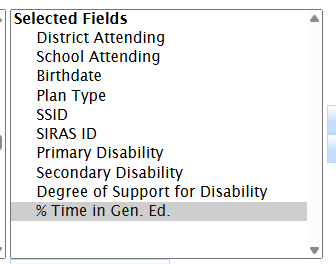
Then click Case Manager
Hold Shift Key
Select Vision Specialist
All are selected
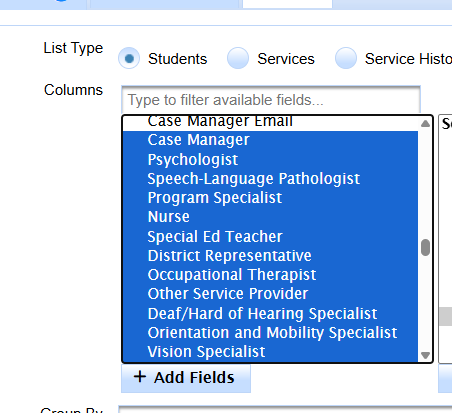
Click Add fields
Keep going
Add all providers
Save the list as provider extract (or something like that)
go to /tools data export
load list
export list
Give the filename a meaning so you know what is in the file later
Do this extract on the day of, first wed. of oct,12/1, 4/1,6/30
Do the student data extract
Do the service data extract
On the day of the report.
Search all Active/Pending students

