SELPA Admins can use predefined reports to come up with the numbers of students with Alternate Assessments.
That being CAA or Alternate ELPAC.
[Finding Alternate in SIRAS Help Page]
In SIRAS we can run a query and generate a report of Disability by secondary Disability to help generate the numbers needed for the 1% alternate threshold reports.
Screenshots of these steps are below.
For CAA
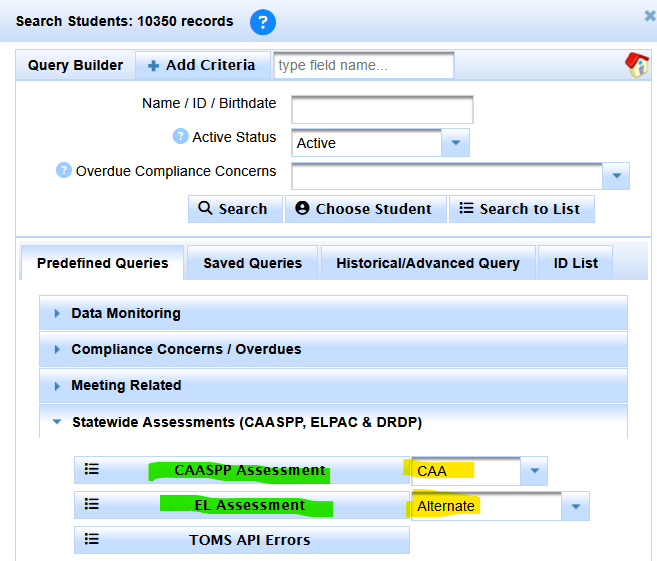
- Click on Search
- Under Predefined Queries
- Click on Statewide Assessments (CAASPP, ELPAC & DRDP)
- Select CAA next to the CAASPP Assessment button
- Click on the CAASPP Assessment button
- This will take you to a list, but we want a summary report of this found set.
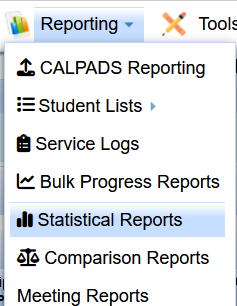
- Click on the Reporting Menu
- Select Statistical Reports
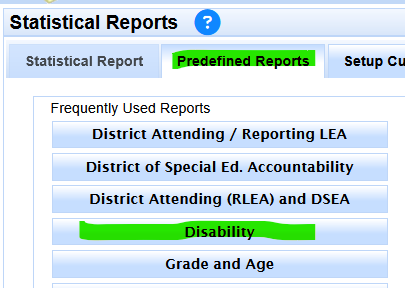
- Make sure you are on Predefined Reports
- Select the Disability button report on the left hand side
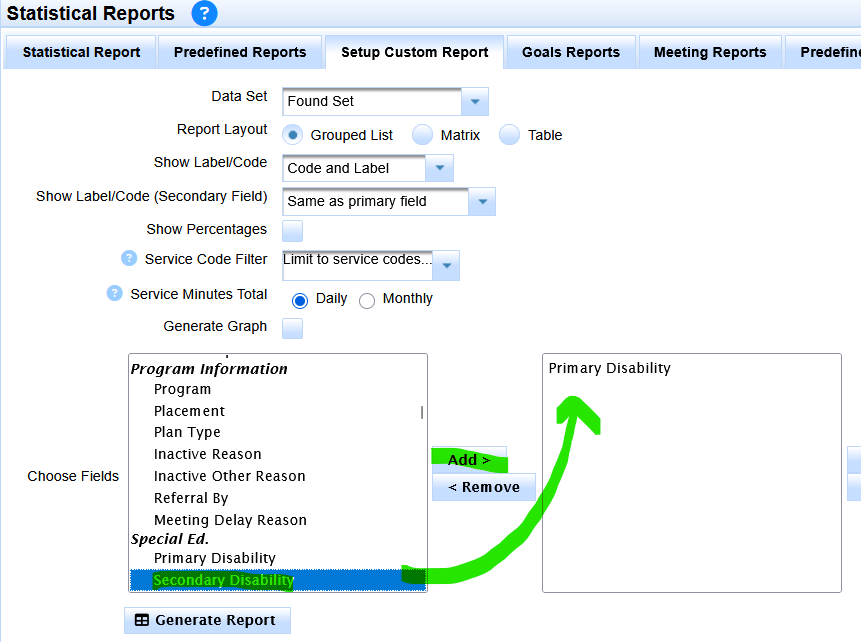
- Then click on Setup Custom Report
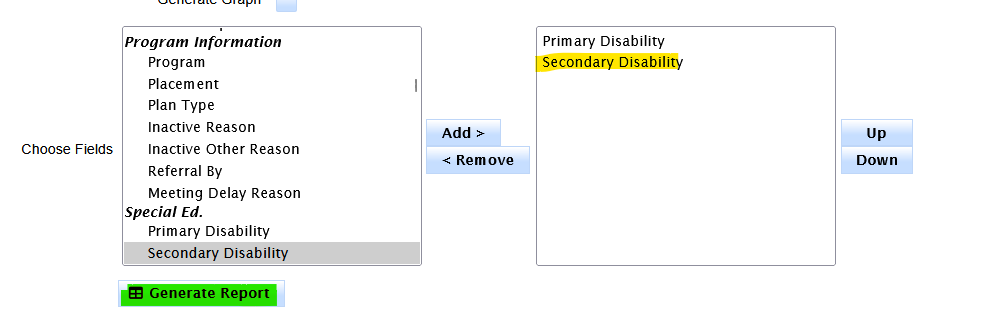
- Now find 'secondary disability' in the source column on the left
- Add secondary disability to the report column as a second value on the right
- Now click Generate Report
For Alternate ELPAC
These same steps can be repeated for finding Alternate ELPAC
Step 4 becomes: Select Alternate next to the EL Assessment button
Step 5 becomes Click on the Alternate Assessment button
If you have already set up the custom disability by secondary disability report from researching CAA
Then just return to set up custom report under statistical reports
And click Generate Report
Or if you have returned to the Statistical Report Page, then click the 'Refresh button' to re-run the report on the results of the Alternate ELPAC query.