


Reactivate Meeting for Signatures only

Jan 28, 2026
Reactivating for eSignature is available to users when the Parent Response is either:
- "Parent contacted, no response", or
- "Does not accept the plan / Stay-put / No plan".
This option is only allowable if:
- The meeting occurred less than one year ago, and
- An Annual Review has not been initiated.
Reactivating the meeting for eSignature will allow you to send forms that support eSignature. However, it will not allow any modifications to the forms — all documents will remain read-only.
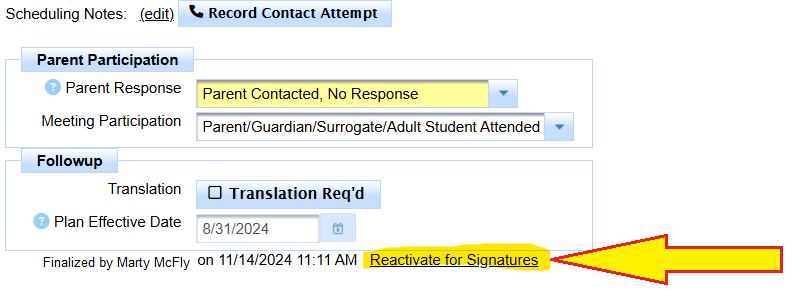
Confirm that this is what you want to do.
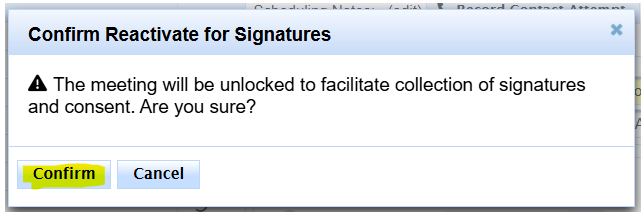
Once one clicks confirm, send out the signature links.
Then re-finalize the meeting as soon as possible.

