How to save a query

Mar 24, 2026
Do a query
Click Search
Make a query
Click Search to list
Modify query
- Click Modify to return to Search
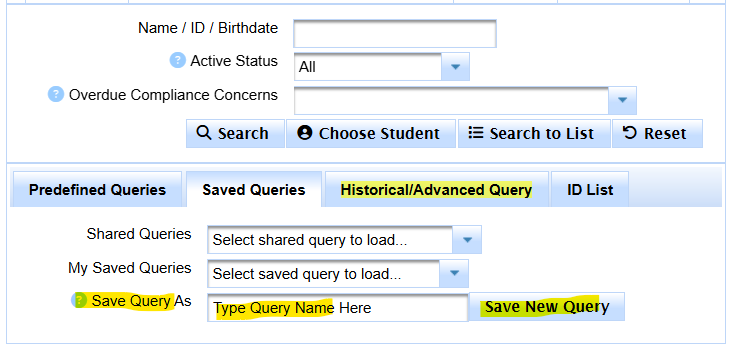
- Click on Saved Queries Tab
- Type name into Save Query As
- Click Save New Query
If you want to share the saved query, click here.