You are using an unsupported browser. Please update your browser to the latest version on or before July 31, 2020.
close
You are viewing the article in preview mode. It is not live at the moment.
Home > Support Center > Reports, Queries, and Lists > Show Me: How to find all students assigned to a specific provider
Show Me: How to find all students assigned to a specific provider
print icon

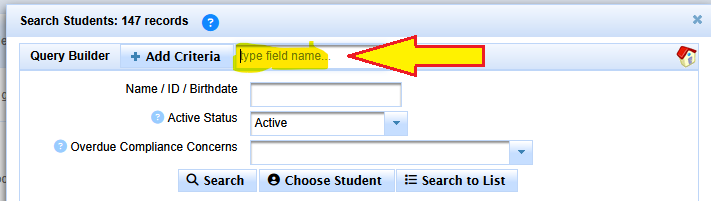
Click Search


Click into Add Criteria


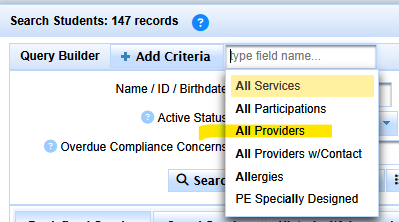
Start typing All


Select 'All Providers'
 

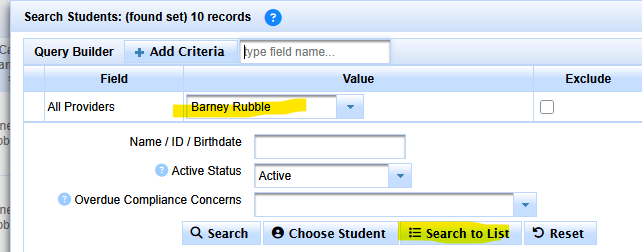
Type the persons name


It should come up in the menu


If not, type last name only to search


Click Search to List


scroll to top icon