Service Lists

Dec 08, 2025
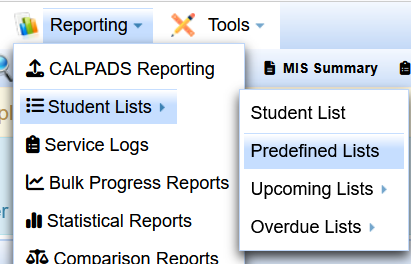
Go to the /Reporting Menu
Go to /student lists/predefined lists
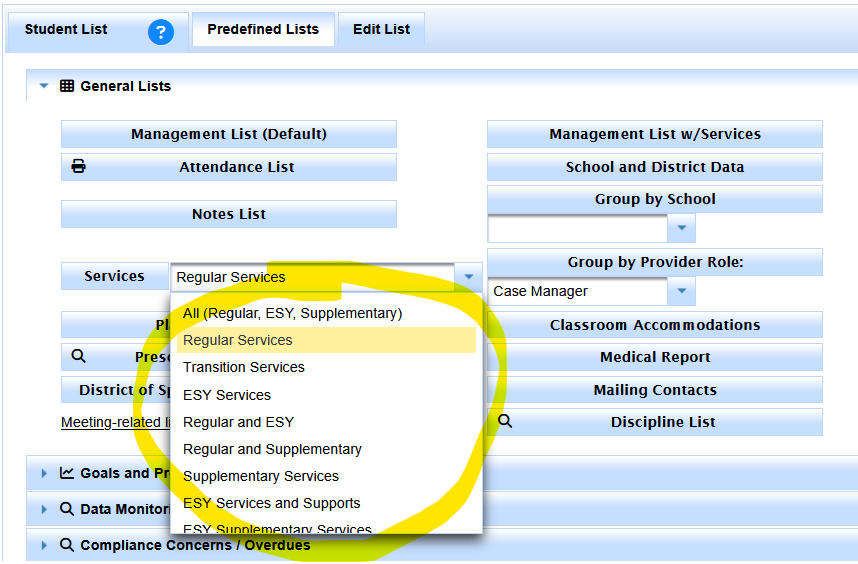
Under the General Lists section
Look for the Services button
Look for the menu next to the Services button
By default the 'Regular Services' setting should show you the main services you are looking for in your current found set.