You are using an unsupported browser. Please update your browser to the latest version on or before July 31, 2020.
close
You are viewing the article in preview mode. It is not live at the moment.
Home > Support Center > Data Monitoring > How to find students that will be 16 as of June 30
How to find students that will be 16 as of June 30
print icon

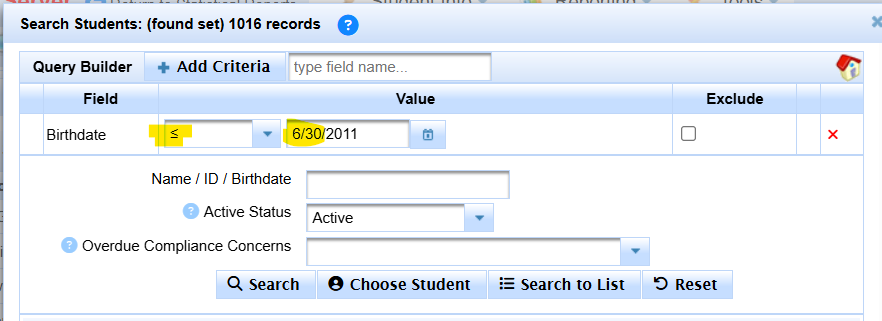
Click Search

Add Criteria of Birthdate

Select Birthdate Less than or Equal to 6/30  (projected year - 16 years)


Ex. 16 by 6/30/2027 means searching for <= 6/30/20111


Click Search to List


scroll to top icon