


504 Annual Meeting Rollover Option Process

Jan 28, 2026
To rollover the previous years 504 meeting to be the current years 504 meeting follow these steps:
- Select student
- Go to 504 Manager
- Create new meeting and select ‘504 Annual Review’
- Enter a date before the Next Years 504 meeting (typically todays date; ignore the time and everything else)
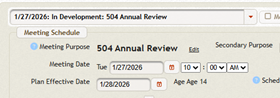
- Under scheduling notes: Paste “Parent elected to rollover 504 from the previous school year”

- Under Meeting Participation select ‘Parent authorized the meeting to proceed without their attendance and will submit the plan afterwards.’
- Open ‘Parent Letter for Continuing Accommodations’ Page
- Click box of ‘Option A’
- Click Box of ‘I received a written notice of my rights…’

-
- Save file for email
- Save file for email
- Completion of steps 7A, 7B and 7C will trigger the following forms to be remain as required for completion and submission to the parent:
- Receipt of Parents Rights – Marked Required
- Service Plan – Marked Required
- State Wide Assessments – Marked Required
- Submit the 4 forms to the parent and gather signatures for ‘Parent Letter for Continuing Accommodations’ and ‘Receipt of Parents Rights’
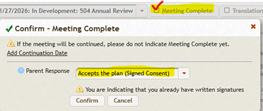
- Check Meeting Complete and then select ‘Accepts the Plan’
- Click the Finalize button and then ‘All Forms Complete’
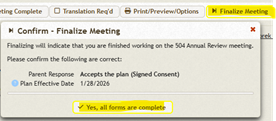
The Last 504 Preview Date will be replaced with the Meeting Date in the MIS Summary page.

