You are using an unsupported browser. Please update your browser to the latest version on or before July 31, 2020.
close
You are viewing the article in preview mode. It is not live at the moment.
Home > Support Center > Data Definitions and SIRAS Concepts > DSEA District of Special Education Accountability Help
DSEA District of Special Education Accountability Help
print icon

PPT overview of navigating DSEA extract to finding that data in SIRAS (Padlet Link)


CALPADS Documentation on DSEA Report


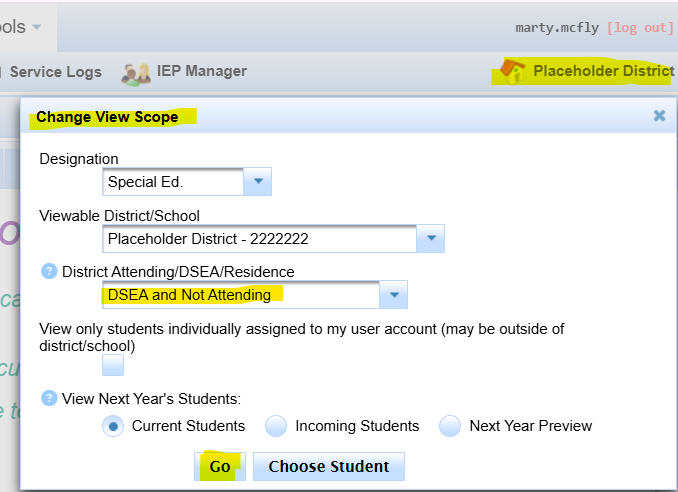
How to see 'Sending' DSEA(Click to open)
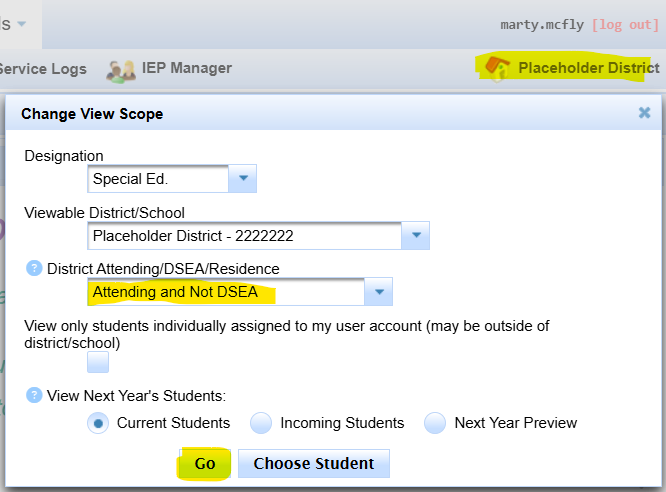
How to see 'Receiving' DSEA(Click to open)
 

DSEA for Charters(Click to open)
  • Type 56 (Operating as an LEA - Voting SELPA member) Reporting Data Independently
    • Work directly with SELPA to certify and be approved.
    • Charter District is Reporting LEA and DSEA
  • Type 55 (Operating by another LEA - non-voting SELPA member) Reporting Data as an IRC
    • Work directly with SELPA to certify. Share progress/data review with chartering LEA and be approved.
    • DSEA = chartering LEA, Reporting LEA = Charter district
  • Type 55 (Data reported by their Chartering LEA (not a voting SELPA member or independently reporting charter IRC)
    • Work directly with sponsoring LEA together to certify with SELPA
    • DSEA amd Reporting LEA = Chartering LEA


Overview:

The DSEA as listed in CALPADS is based on the most recent PLAN file in CALPADS.


If your district is contacted to change the DSEA of a student enrolled at your district, changing the DSEA listed in CALPADS is as easy as sending a new PLAN record, or better yet, opening up previous archives from your district that sent the wrong DSEA in PLANS from your district, fixing the DSEA in the archive and then updating the report status to 'pending' to resend the PLAN with the updated DSEA information.


What to do when your district is listed as DSEA for a student outside of your SELPA and your district should not be listed as the DSEA.


Look at the most recent plan in CALPADS.


Is the plan from your district?
Did the student enroll elsewhere but they  have not sent their plan adoption yet?

If so, once the other district sends the plan adoption, that SSID of the student that left should drop off your SSID extract.


The plan is from another district but your district is listed as DSEA.

Is this student on an MOU or Inter-SELPA agreement?

If so this might be ok, please verify this with your director or SELPA.


If there is no reason for your district to be listed as DSEA, other than your district may  be the DOGR but they are not enrolled at your district, then we will need to contact the other LEA to have them update their PLAN and SERV records in CALPADS to not have your district listed as the DSEA.


Here is a link to find the CALPADS contact at the other district.
Keep in mind this person is their SIS coordinator, so ask them for the contact data of the SEDS coordinator as they will have more direct information about how the PLAN was populated.

scroll to top icon