Emergency Health Plan
Last updated: Sep 04, 2026
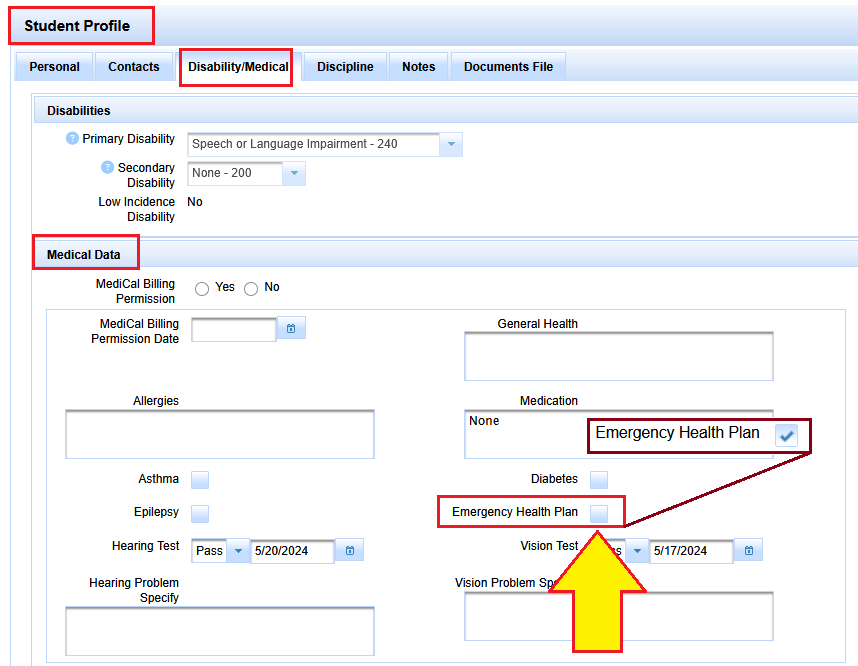
The Emergency Health Plan indicator can be found in:
Student Profile, Disability/Medical tab
Scroll down past disabilities to medical data
There in the bottom right area of Medical Data there is a checkbox for Emergency Health Plan.
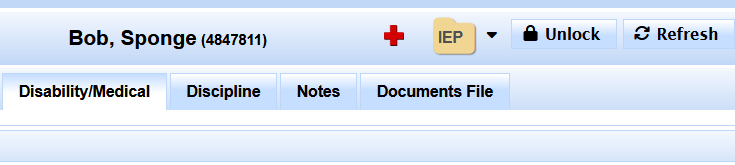
Once it is checked, then a red cross will display prominently in SIRAS.
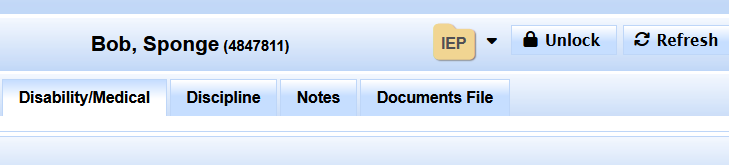
Student name without Emergency Health Care Plan indicated
Student name with Emergency Health Care Plan indicated
Here is the Student Profile, Disability/Medical Tab view where the checkbox is to be checked.