Certification Reports
Last updated: Sep 03, 2026
We are currently in the Fall 1 2026 CALPADS 10/7/2026 Census Workflow
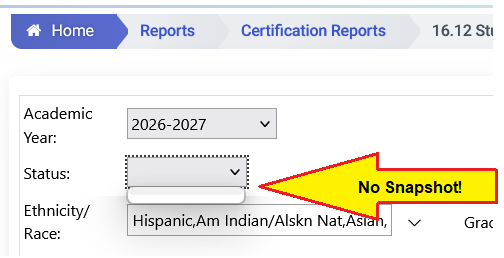
If Snapshots are not available yet for Fall 1, there will be no menu to select Revised Uncertified
Continue to use Data Discrepancies until Revised Uncertified Status appears in the menu.
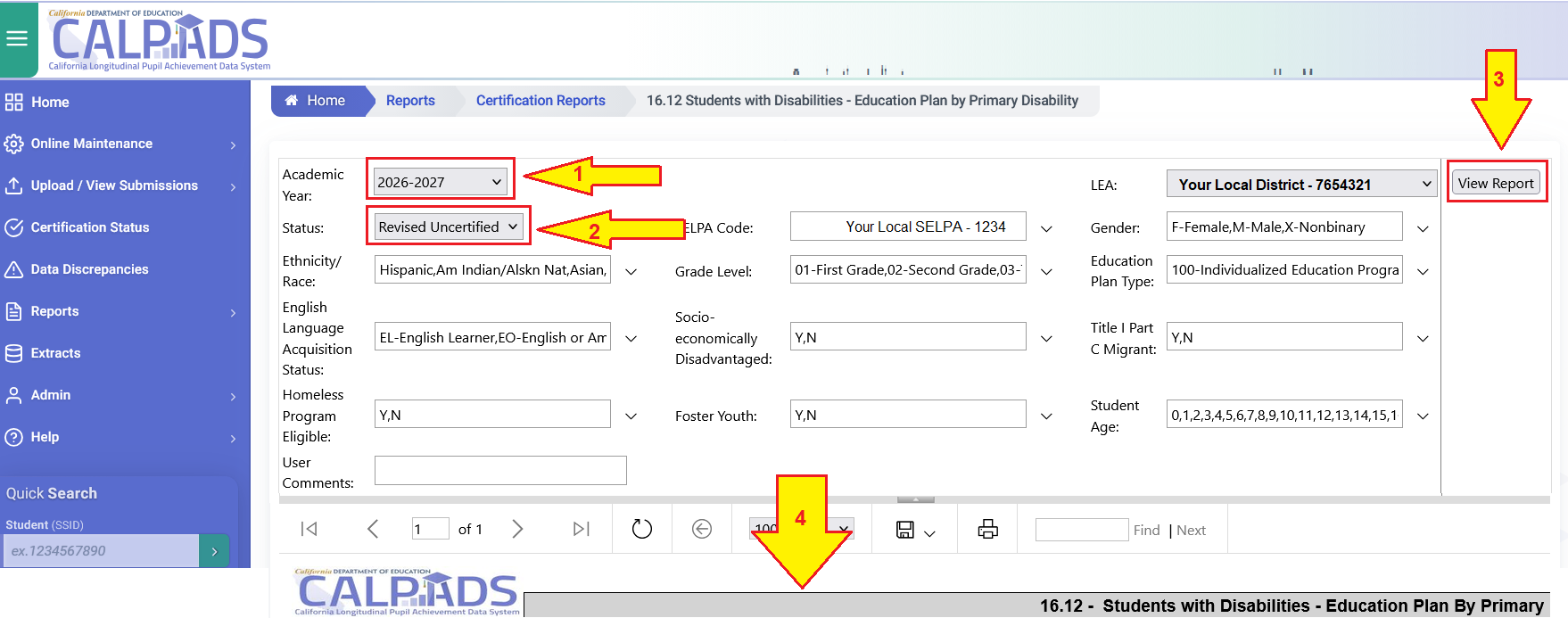
- Academic Year - 2026-2027
- Status - Revised Uncertified
- Click -View Report
- Wait
- Review Summary Grid
- Click tiny + to show all the data rows
When reviewing printed results of Certification Reports
Be wary of results where the Completion Time is not within the last 48 hours.
No Snapshot = No Status Menu (Wait until Census Day)
- Academic Year = 2026-2027
- Status = Revised Uncertified
- Click View Report
- Wait
- Review Report Below
- Click tiny + to show rows of data